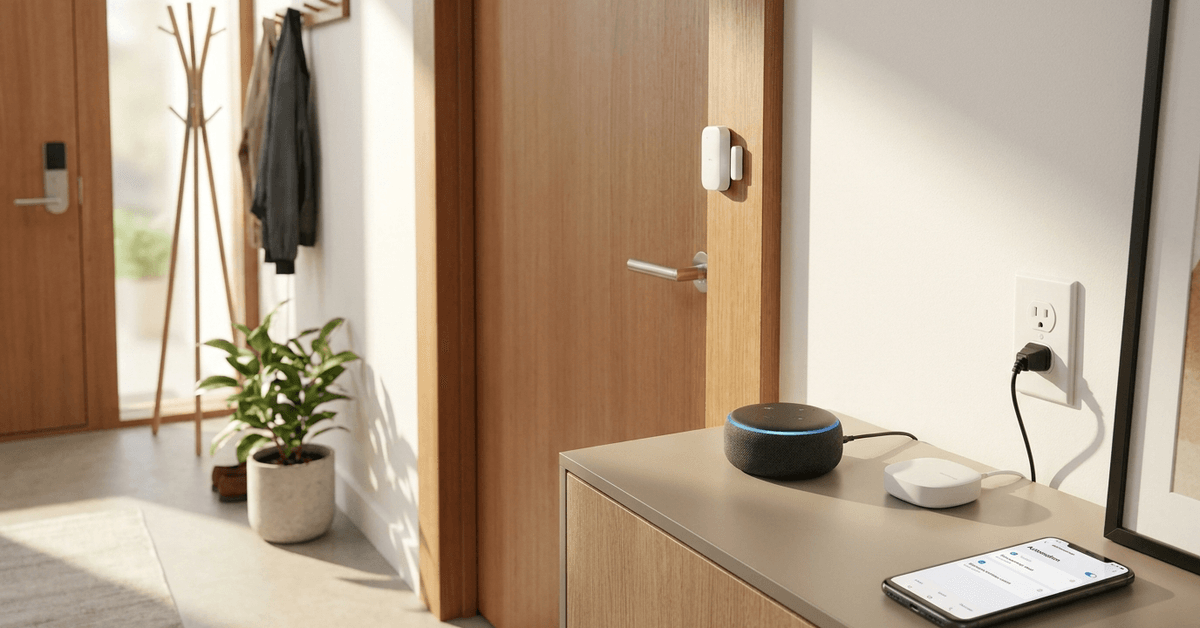
Automated voice alerts for door openings are a cornerstone of modern smart home security. They provide instant, audible feedback whenever an entry point is accessed.
This setup is valuable for families, property managers, and anyone looking to strengthen home awareness.
By integrating sensors, automation hubs, and voice assistants, homeowners unlock powerful situational awareness with minimal effort.
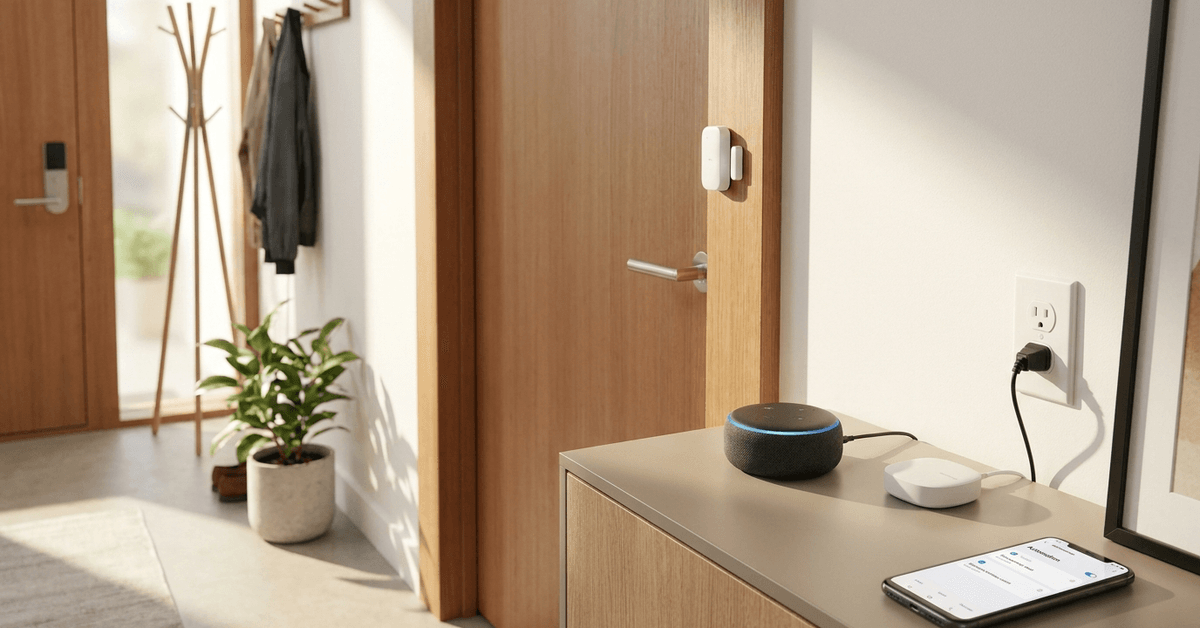
Why Voice Alerts for Doors Matter in Smart Homes?
Instant voice alerts help provide a real-time line of defense. They act before a notification reaches your phone.
This makes voice automation ideal for busy households, elderly residents, or families with young children.
Enhanced Awareness
An audible alert can inform you if someone enters or leaves, even when away from your phone.
This feature is especially valued in homes with multiple exterior doors or sliding entrances.
Deterrence and Safety
Voice messages can deter unwanted entry by increasing perceived human presence.
For caretakers or those with mobility issues, audible announcements create peace of mind.
Essential Components Needed
Automated voice alerts rely on several smart devices communicating together.
- Contact Sensors: Installed on doors to detect open/close status. Common brands include Aqara, Philips Hue, and Samsung SmartThings.
- Smart Hub: Acts as the system brain. Platforms like SmartThings, Home Assistant, or Hubitat Elevation are widely used.
- Voice Assistant Speaker: Delivers spoken alerts. Google Nest speakers and Amazon Echo devices are popular options.
- Automation Platform/App: Handles event logic. This could be built-in (like Alexa routines) or more advanced (such as Home Assistant).
Most systems work with either Zigbee, Z-Wave, or WiFi-based devices. Compatibility matters when selecting parts.
Choosing Compatible Devices and Protocols
Interoperability between devices and platforms is at the heart of a seamless setup.
Zigbee Versus Z-Wave Versus WiFi Sensors
- Zigbee: Known for fast response and reliable mesh networking. Aqara and Sonoff sensors are common choices.
- Z-Wave: Strong security features and good range. Brands like Aeotec or Fibaro stand out.
- WiFi: Direct cloud connectivity. Shelly Door/Window sensors offer simple setup without a hub.
Zigbee and Z-Wave require a compatible hub. WiFi devices may integrate directly with voice platforms but increase network load.
Automation Platforms
Home Assistant is often selected for ultimate flexibility and privacy.
SmartThings and Hubitat Elevation provide user-friendly interfaces and broad compatibility.
For plug-and-play voice alert setups, Alexa and Google Home routines offer a streamlined approach.
Step-by-Step Voice Alert Setup Example
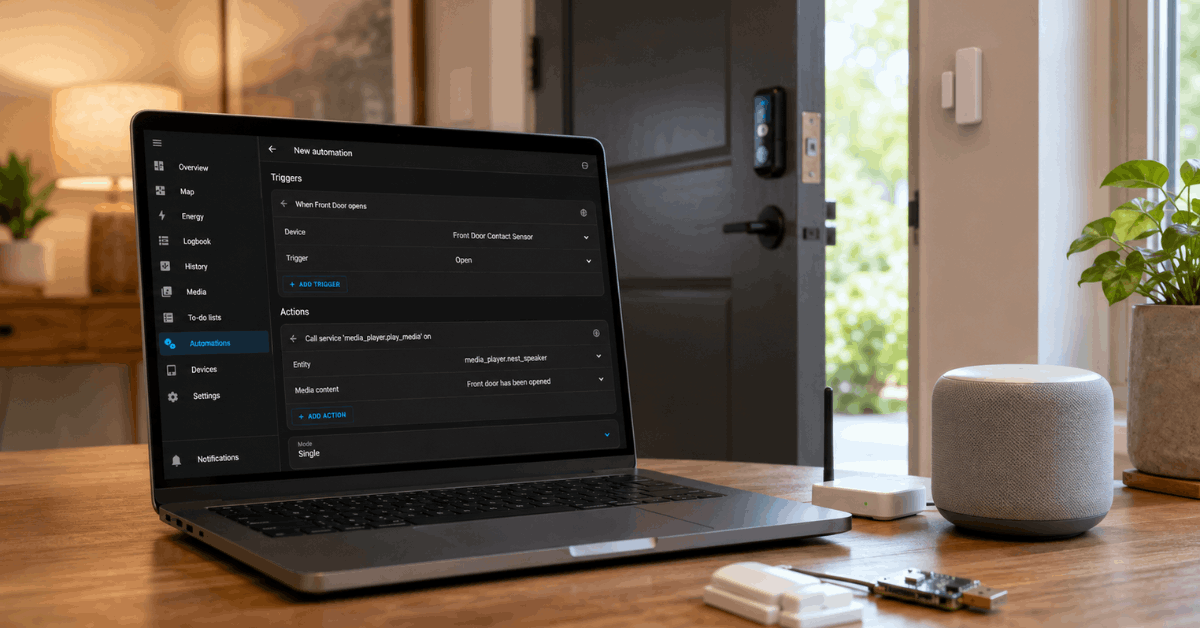
Here is a general outline using Home Assistant with Zigbee sensors and a Google Nest speaker.
1. Prepare Your Devices
- Add the Zigbee coordinator to Home Assistant (using Zigbee2MQTT or ZHA integration).
- Pair your contact sensor by following the manufacturer’s instructions.
- Register your Google Nest speaker as a media player in Home Assistant.
2. Configure an Automation in Home Assistant
- Navigate to Automations and create a new entry.
- Set the trigger as the door sensor reporting an “open” state.
- For the action, select “Call Service” and pick the “media_player.play_media” option.
- Input your alert phrase (e.g., “Front door has been opened”) as the TTS message.
- Point the service to your Google Nest speaker’s entity ID.
The automation will now announce the alert through your speaker whenever the sensor detects opening.
3. Testing and Fine-Tuning
- Test by opening the door to ensure the alert triggers immediately.
- Adjust the message, volume, or timing within the automation edit menu.
Alternative Simplified Approach: Alexa Routines
For those using Amazon Echo devices and compatible sensors, Alexa Routines make setup quick.
- Install a compatible contact sensor (like the Ring Alarm Contact Sensor ).
- Add the sensor to the Alexa app. Ensure it appears under Devices.
- Create a Routine and set the trigger as the sensor’s “open” event.
- Add an action for Alexa to “Say” a custom message.
The Echo speaker will then play your chosen voice alert.
Practical Tips for Reliable Performance
Practicality matters as much as technical setup in daily life. Sensitivity and avoidance of false positives are priorities.
Avoiding Repeated Triggers
- Position the sensor to only detect intended openings. Mis-aligned magnets can yield erratic alerts.
- Configure automation to trigger only on “open,” with an added cooldown timer to avoid repeat voice prompts in rapid succession.
Voice Volume and Device Placement
- Place speakers at central points for best sound coverage (such as hallways or kitchen entrances).
- Volume automation or night mode prevents disturbance during certain hours.
Security and Privacy Considerations
- Keep automations local if privacy is paramount. Platforms like Home Assistant work without cloud services.
- Avoid storing sensitive information in voice alerts.
Popular Software and Apps for Voice Alerts
- Home Assistant: Flexible open-source automation with robust integrations.
- SmartThings: Intuitive app setup, compatible with various brands.
- Alexa App: Best for Echo users, supports custom routines.
- Google Home: Straightforward configuration for Google Nest speakers.
- IFTTT: For custom cross-platform bridges, especially with WiFi sensors.
Troubleshooting Common Voice Alert Issues
Delayed or Missed Alerts
- Check WiFi or Zigbee network stability. Sensors may drop offline when signal is weak.
- Review automation logic for correct trigger-action flow.
Inconsistent Voice Playback
- Ensure the speaker firmware is updated and responsive in the hub dashboard.
- Test volume and language settings within the assistant app.
Advanced Customization Ideas
Personalized Messages
- Dynamically include time, resident names, or warning phrases (e.g., “Garage door was opened at 9:41 PM”).
- Home Assistant’s Template actions allow this type of flexibility.
Multi-Speaker Coverage
- Broadcast alerts to multiple rooms for wider coverage or targeted delivery (such as only in the master bedroom at night).
Conditional Announcements
- Guide automations to run only if nobody is home, or not during certain hours.
Conclusion
Automated voice alerts for door openings bring an important layer of proactive security and awareness to modern homes. With the right mix of contact sensors, automation hubs, and voice assistant speakers, homeowners can achieve reliable, real-time notifications tailored to their routines.
Whether aiming for full customization or simple plug-and-play, the solutions outlined provide a path to a smarter, safer living environment.
Adjusting for compatibility, convenience, and personal preferences will make the difference in daily usability and satisfaction. As technology continues to evolve, these systems only grow more reliable and helpful for everyday peace of mind.