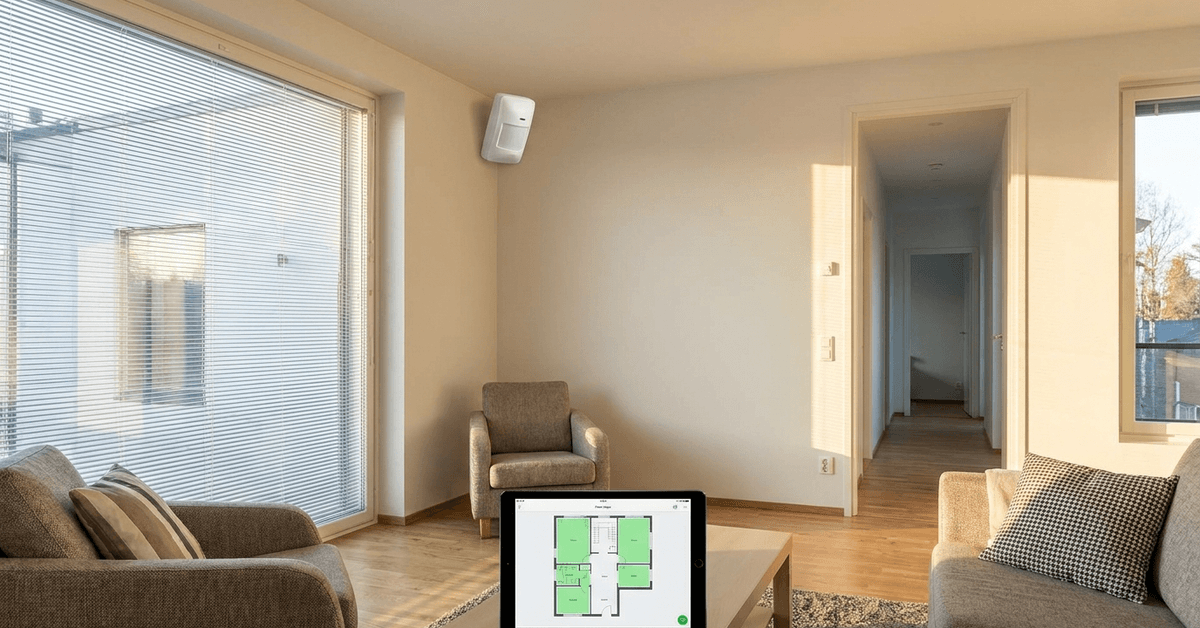
Indoor motion sensors play a crucial role in smart home security. Effective sensor positioning greatly increases coverage, reliability, and enables your automated routines to perform better.
This guide suits homeowners using systems like Fortressmate.com, DIY enthusiasts installing new hardware, and anyone wanting to maximize protection and automation capabilities.
Understanding How Motion Sensors Detect Movement
Most motion sensors rely on passive infrared (PIR) technology. This detects changes in heat signatures as people or pets move across an area.
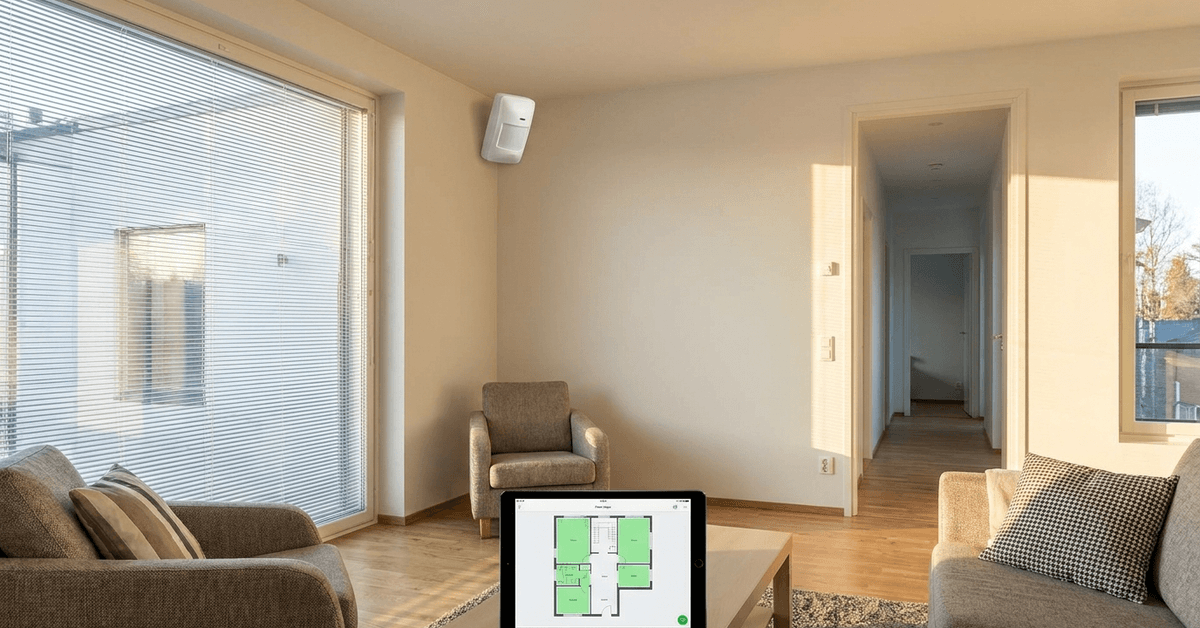
Some advanced models use additional tech, like ultrasonic or microwave sensing. Choosing the right sensor type is often the first step toward better coverage.
PIR Sensors vs. Dual-Tech Sensors
- PIR sensors: Best for standard rooms with stable temperatures.
- Dual-tech (PIR + microwave): Fewer false alarms, effective in tricky spots.
Key Coverage Zones Inside a Home
- Hallways and entry points are primary targets for coverage.
- Common areas, like living rooms, usually require a wide field of view.
- Staircases or connecting rooms benefit from side-angle positioning.
Room Layout and Obstacles: What You Need to Know
Furniture, curtains, glass, and even pets can affect sensor reliability. Obstructions sometimes create blind spots that leave parts of a room unprotected.
Considering room shape saves time during setup. Oblique corners and irregular layouts sometimes call for two sensors in one area.
Common Obstacles to Coverage
- Large sofas or bookshelves blocking line of sight.
- Mirrored walls reflecting PIR beams and causing missed zones.
- Heating vents creating false triggers via warm airflow.
Best Practices for Sensor Placement
Placement height directly influences detection range and accuracy. A typical installation height is around 2.1 meters (7 feet) above ground.
Optimal Sensor Angles
- Diagonal orientation into a room increases coverage area.
- Mounting in corners enables sensors to scan across entryways and windows.
- Angle sensors away from heat sources to reduce false triggers.
Choosing Strategic Zones
- High-traffic doorways and main entry points deserve top priority.
- Rooms with multiple windows sometimes require overlapping sensor coverage.
- Basements and garages typically need additional sensors due to unique layouts.
Step-By-Step Setup for Maximum Effectiveness
- Map your floor plan to identify critical coverage zones.
- Select the right sensor type for each area: PIR for standard spaces, dual-tech for challenging zones.
- Mark installation height on the wall. Most homeowners use around 7 feet.
- Test the coverage field by walking through potential paths and noting sensor reaction.
- Double-check blind spots by placing objects (chairs or boxes) to simulate furniture.
- Fine-tune sensor angle by using built-in calibration or companion apps such as Smart Life or device-specific tools.
Reducing False Alarms and Missed Motion
False alarms waste time and can reduce faith in your system. Smart settings and proper sensor positioning can reduce nuisance alerts.
Tips to Minimize False Alarms
- Avoid pointing sensors at HVAC vents or direct sunlight.
- Enable ‘pet immunity’ modes, if available, for households with animals under 40 lbs.
- Calibrate sensitivity within your smart security app, especially in small rooms.
Utilizing Device Software Features
Modern hubs and apps let you adjust sensitivity or set up exclusion zones. For example, Fortress Security App and SmartThings let users draw detection areas for each sensor.
Smart Automation Routines and Integration
Configuring motion sensors for more than just security creates real value. Integration with automation platforms unlocks convenience and flexibility.
Compatible Smart Home Platforms
- Google Home: Pairs with most Wi-Fi or Zigbee sensors for personalized routines.
- Alexa Routines: Automate lighting, voice alerts, or camera streaming upon detected motion.
- Home Assistant: Open-source flexibility. Customize sensor logic for any scenario.
Wired or Wireless Sensors: Deciding for Coverage
Wired sensors are reliable and often suit permanent installations. However, they may be limited by cabling routes.
Wireless sensors, like those running on Zigbee or Z-Wave, give homeowners greater flexibility and make it easy to reposition devices as needs change.
Battery Considerations
- Wireless models must be placed in easy-to-access areas for battery changes.
- Check battery life stats before choosing a location that’s hard to reach.
Testing and Maintenance Tips
Frequent testing is key to long-term reliability. Real-life adjustments are often necessary after major furniture movement or renovations.
Maintenance Routines
- Monthly walk-tests confirm coverage is still adequate.
- Clean sensor lenses gently every few months to avoid dust interference.
- Keep device firmware and apps, like Smart Life or Fortress Security App, up to date.
Common Pitfalls and How to Avoid Them
- Placing sensors too close to each other, which sometimes causes overlap and repeated alerts.
- Ignoring rooms considered low risk (like laundry closets) that end up creating coverage gaps.
- Assuming one sensor per large room is enough. Larger spaces often benefit from two sensors at opposite corners.
Conclusion
Proper positioning of indoor motion sensors transforms basic setups into robust smart security systems. By understanding sensor technology, respecting room layouts, and fine-tuning placement angles, coverage gaps can be minimized.
Smart configuration through reliable apps ensures false alarms stay low while coverage remains high. With a thoughtful approach and regular testing, any home can enjoy the peace of mind that comes with precise motion detection and maximum protection.