
Indoor security cameras have become a mainstay in modern homes. The convenience, control, and peace of mind they provide are hard to ignore.
For families, renters, or smart home enthusiasts who want reliable monitoring without making guests uneasy, hiding these cameras cleverly is critical. Here, practical strategies meet technical know-how.
Why Hide Indoor Security Cameras?
Many homeowners prefer not to draw attention to their surveillance setups. Often, the goal is reliable coverage while blending devices into the living space.

Common reasons for seeking low-visibility options include:
- Reducing risk of tampering or theft attempts
- Maintaining home aesthetics and décor harmony
- Making monitoring feel natural, especially for children or visitors
- Complying with local privacy expectations
Best Practices Before Concealing Cameras
Check Laws and Ethics
Legal compliance matters. Always keep in mind: recording in private areas like bathrooms or bedrooms is usually prohibited.
Visible notice, such as a sticker or policy sign, is sometimes recommended even inside the home. It maintains transparency.
Consider Camera Type and Field of View
The choice of camera directly impacts how easy it will be to hide. Models with wide-angle lenses require careful positioning.
Compact cameras that connect to Wi-Fi, such as the Wyze Cam v3, offer more options than bulky traditional units.
Assess Wi-Fi Signal and Power Access
Obstacles like dense walls or furniture can affect camera connectivity. Test signal strength before final placement.
For plug-in cameras, discreet cable management will keep setups both tidy and inconspicuous.
Main Methods for Hiding Indoor Cameras in Plain Sight
Integrating Cameras into Everyday Objects
Clever concealment often involves blending cameras with home décor or daily items. Some commonly used strategies are:
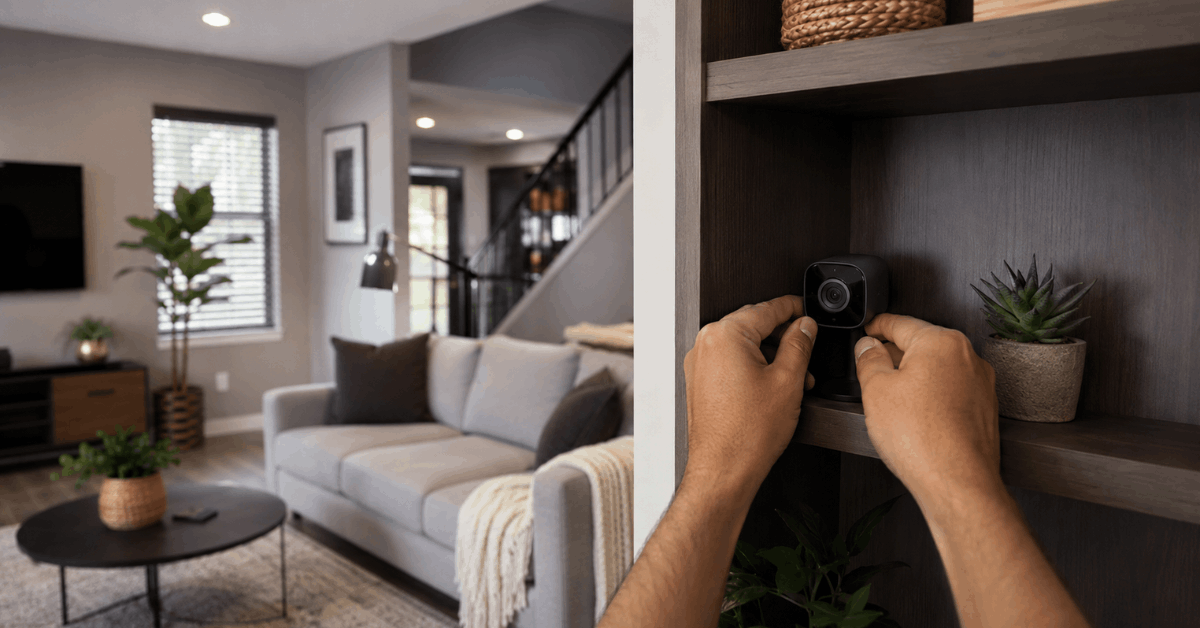
- Bookcases and Shelves: Small cameras tucked among books or decorative boxes appear natural.
- On top of framed pictures or behind plants with gaps for lenses.
- Inside hollowed-out faux books or storage boxes found at home stores.
Choose surroundings that do not block the lens view or restrict motion sensors.
Using Smart Home Devices as Covers
Disguising cameras within or behind other electronics adds another layer of subtlety.
- Smart speakers (like Amazon Echo or Google Nest): Many homeowners position small cameras behind or near the base of these speakers. The presence of wires is less suspicious.
- Old routers, modems, or even cable boxes make natural hiding spots where electronics are clustered.
Camouflage with Decorative Objects
Home offices, living rooms, and kitchens often hold a variety of inconspicuous items.
- Fake plants, vases, or clock faces with a cut-out behind for a lens.
- Photo frames: Placing a pinhole camera through the frame side blends in with everyday surroundings.
Disguising Cameras in Light Fixtures
Lighting fixtures are usually present in all indoor spaces and draw little attention when subtly modified.
- Recessed lighting in ceilings can sometimes house mini cameras, especially with wireless models.
- Table lamps with broad lampshades can enclose small surveillance cubes underneath the shade, with lens visibility through fabric gaps.
Careful adjustment is necessary so the camera does not overheat or become blocked by the light source.
Artificial Vents and HVAC Covers
Creative homeowners sometimes place cameras behind unused vent covers or similar wall installations. These covers offer a stable, secured spot near room ceilings.
- Ensure adequate airflow for camera temperature control.
- Removable vent covers: Allow for camera maintenance without drawing attention.
Installation Steps for Hidden Camera Setups
Selecting the Ideal Location
- Identify the areas needing coverage. Usually entryways, hallways, and common rooms are the top priorities.
- Avoid direct sunlight or heat sources that may damage device lenses or electronics.
Setting Up Power and Connectivity
- Hidden installations often need extra attention to cable routing. Homeowners find adhesive cord channels or cable concealers very useful.
- For battery-powered options, regular battery checks become a necessary routine.
- Wi-Fi range testing: Use apps like WiFiman or NetSpot to make sure the camera stays connected even behind objects.
Configuring Alerts and Recording Settings
- Open the camera’s app (such as the Wyze or Blink Home Monitor app).
- Set up motion-triggered alerts during periods you are away from home.
- Save clips to the cloud or a secure microSD card for backup.
Tips to Maximize Security and Performance
Routine Device Checks
Hidden cameras are easier to overlook when it comes to maintenance. Regular cleaning of lenses is crucial to maintain clear recordings.
- Check camera logs weekly for signs of tampering or signal loss.
- Firmware updates: Keep devices updated through the original manufacturer’s app to patch any vulnerabilities.
Using Privacy Zones and Motion Filters
Adjust privacy settings so cameras exclude private areas or common seating zones. Most modern apps offer zone masking for this purpose.
- In the Nest Home app, draw privacy zones around beds or work desks.
- Enable notifications only for specific events, limiting alert fatigue.
Securing Footage Storage and Remote Access
- Opt for end-to-end encrypted platforms like Arlo Secure or HomeKit Secure Video for sensitive footage.
- Regularly update access permissions for family members to prevent unauthorized viewing.
- Two-factor authentication: Activate this feature, available in almost every reputable security app, for boosted protection.
Potential Pitfalls and How to Avoid Them
Blocked Field of View
Household rearrangements or dust buildup may obscure a hidden camera’s line of sight. It’s easy to forget, especially with clever concealment.
- Review camera feeds after room redesigns to ensure continued coverage.
- Set reminders: Calendar alerts for routine camera checks minimize lapses in monitoring.
Camera Overheating
Hidden cameras inside tight spaces may risk overheating, especially if placed near active electronics or lamps.
- Check manufacturer guidance on operating temperatures for your device.
- Allow airflow by avoiding sealed enclosures.
Popular Hidden Camera Models and Tools
- Wyze Cam v3: Small, weather-rated, and app-controlled, ideal for shelves and corners.
- Blink Mini: Compact with cloud backup and motion detection, often chosen for indoor concealment.
- TP-Link Tapo C200: Pan and tilt functions let cameras see around obstacles, reducing the need for perfect placement.
Recommended Software and Apps for Seamless Setup
- Wyze App: For configuring zones, alerts, and firmware upgrades.
- Blink Home Monitor: Allows for multi-device feeds, privacy settings, and live viewing.
- NetSpot and WiFiman: To test signal strength in intended camera locations.
- HomeKit Secure Video: Apple ecosystem users can store and analyze footage privately.
Conclusion
Effective home monitoring does not mean sacrificing comfort or style. Simple concealment of security cameras creates safer spaces while keeping technology unobtrusive.
Each technique outlined can be tailored to individual needs for privacy, aesthetics, and function. Reliable brands, robust apps, and attention to detail keep your system efficient and discreet.
Remember: regular inspection and responsible use maximize the benefits of hidden surveillance. Thoughtful setup now can save hassle, confusion, or security headaches down the line.