
If you depend on smart devices, Wi-Fi stability is critical. Many homes use brick as a building material. While sturdy, it can complicate wireless signal coverage.
This article is for homeowners and smart tech enthusiasts who crave seamless connectivity. Understanding the effects of brick walls helps ensure your devices work as intended.
Why Brick Walls Disrupt Wi-Fi Signals?
Brick walls act as significant barriers to Wi-Fi transmission. Dense masonry absorbs and reflects radio waves. This often leaves rooms with poor signals or total dead zones.

It’s not unusual for thick brick to reduce signal strength by over 15 dB. The main problem is brick’s composition and moisture retention. Both these factors hinder 2.4 GHz and 5 GHz frequencies.
Understanding Wi-Fi Frequencies and Penetration
Home Wi-Fi typically uses 2.4 GHz and 5 GHz frequency bands. Each reacts differently to obstacles like brick.
2.4 GHz: Longer Range, More Interference
The 2.4 GHz band travels further and penetrates walls better than 5 GHz. However, it’s more vulnerable to disturbance from devices like microwaves and Bluetooth speakers.
In homes with brick, you might notice the 2.4 GHz signal persists where 5 GHz drops out. But speed may be noticeably lower.
5 GHz: Faster, Weaker Through Brick
The 5 GHz band offers faster speeds but weaker wall penetration. Brick walls often block much of this frequency, making upper floors or back rooms difficult to reach.
Streaming devices, which rely on the 5 GHz band for better performance, are quick to reveal this limitation.
Specific Impacts on Smart Home Devices
Most smart home gadgets, from cameras to thermostats, run on Wi-Fi. Brick wall interference can cause several frustrating issues:
- Delayed notifications from sensors
- Dropped video feeds on cameras
- Unreliable voice assistant responses
- Smart bulbs going offline without warning
- Missed automation triggers
Noticing any of these may be your first clue that brick is getting in the way.
Signal Loss: How Much Weakening Happens?
Brick absorbs a considerable amount of signal. Exact loss depends on the wall’s thickness and density.
Field measurements show that typical single brick walls can cause about 8–15 dB of signal attenuation. Two-brick-thick walls may double that loss, leaving far less power for devices on the other side.
Testing Wi-Fi Strength Near Brick Walls
Evaluating your signal quality is key. Several apps and tools will help pinpoint weak spots in a brick-heavy home.
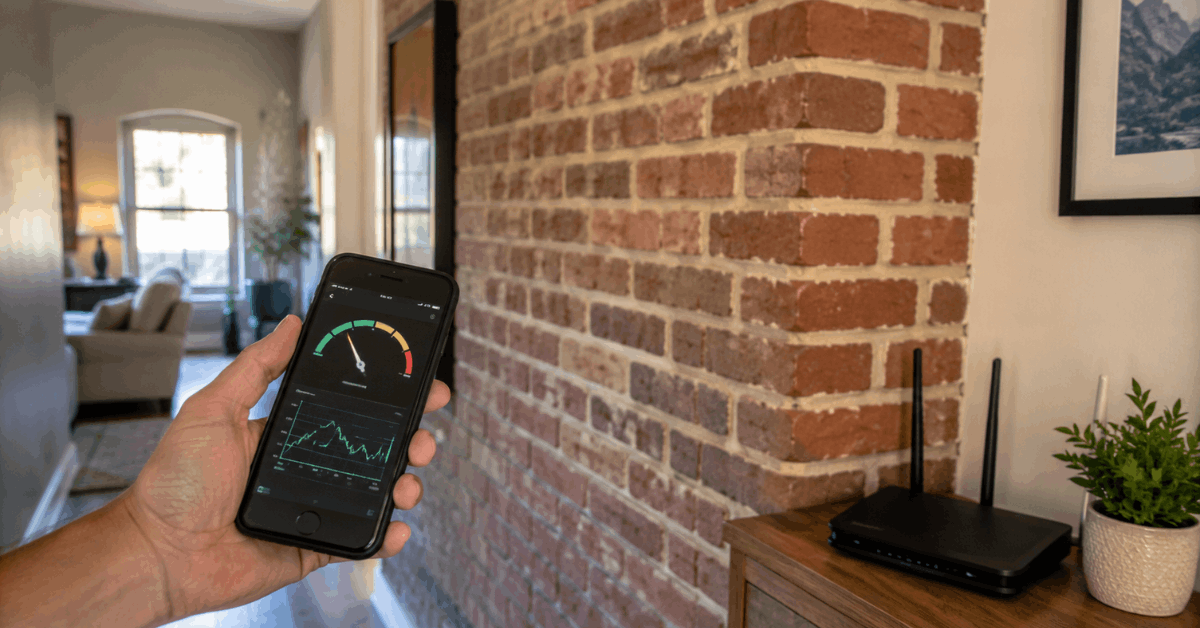
- NetSpot for Windows and macOS
- WiFi Analyzer (Android)
- AirPort Utility (iOS)
These free tools display signal strength (measured in dBm). Signals below -70 dBm often mean unreliable connections for smart devices.
Strategies to Improve Wi-Fi Performance Through Brick
There are several practical methods to improve Wi-Fi coverage in brick homes. Each approach offers unique benefits and works best when tailored to your space.
Optimal Router Placement
- Place your router in a central, elevated spot—away from brick whenever possible.
- Reducing the number of brick barriers between the router and devices prevents excess signal loss.
- A nook behind a brick fireplace is a poor location.
Mesh Network Systems
- A Mesh Wi-Fi system uses multiple access points, each relaying the signal to nearby devices.
- Makes coverage seamless by surrounding problem spots with steady connectivity.
- Brands like Google Nest WiFi, Eero, and Netgear Orbi are worth exploring.
Wi-Fi Repeaters and Extenders
- Repeaters capture your existing Wi-Fi and re-broadcast it further. Extenders boost range in hard-to-reach places.
- They are often less stable than mesh but can help with moderate brick wall interference.
Powerline Adapters
- Powerline adapters use your home electrical wiring to move data.
- Plug an adapter into a wall socket near your router, and a matching unit near your distant smart device.
- The TP-Link AV1300 is a popular, reliable pick.
Ethernet Backhaul for Critical Devices
- For key devices like hubs or security cameras, running an Ethernet cable through brick may be worth the effort.
- Many mesh systems support Ethernet backhaul to link units directly, bypassing wireless walls entirely.
Upgrading Router Antennas
- Some routers let you swap for high-gain antennas, sending a more focused signal through obstacles.
- Directional antennas, aimed along open hallways instead of at a solid brick wall, offer better results.
Configuration Tips for Better Smart Home Performance
Settings and firmware also play a big role in maximizing connectivity in brick homes.
Separate SSIDs for 2.4 GHz and 5 GHz
- Most routers let you assign unique network names (SSIDs) to 2.4 GHz and 5 GHz bands.
- Assign smart home gadgets to the 2.4 GHz SSID, since it penetrates brick better.
- Reserve 5 GHz for streaming and bandwidth-heavy devices close to the router.
Latest Wi-Fi Standards
- Routers running Wi-Fi 6 (802.11ax) or Wi-Fi 5 (802.11ac) offer improved speed and interference resistance.
- Enabling features like MU-MIMO and OFDMA helps serve more devices at once, even with obstacles.
Firmware Updates and Security
- Keep your router’s firmware up to date for performance and vulnerability fixes.
- Always use WPA3, or at least WPA2, for strong security.
- Disable legacy Wi-Fi protocols that could interfere with stable connections when behind brick walls.
Common Myths about Brick Walls and Wi-Fi
A few persistent myths confuse brick’s actual impact. These bear clarification.
- Not all brick walls are the same: Some have different densities or air gaps that alter their effect.
- Booster antennas can’t “punch” through thick brick. They can only help if angled around it.
- Certain paints or plaster may add further attenuation, especially when containing metal mesh.
Conclusion
Brick walls remain one of the toughest challenges for home Wi-Fi. Their density and moisture absorb wireless signals, limiting smart device potential. Thorough testing uncovers weak spots, and modern network options like mesh or powerline adapters are key solutions.
Careful router placement plus the right frequency for each gadget make a noticeable difference. Up-to-date hardware and clear SSID separation help minimize outages.
For persistent issues, a professional installer’s advice is invaluable. With the right know-how and a bit of patience, even brick-heavy homes can support reliable, secure smart automation on every floor.