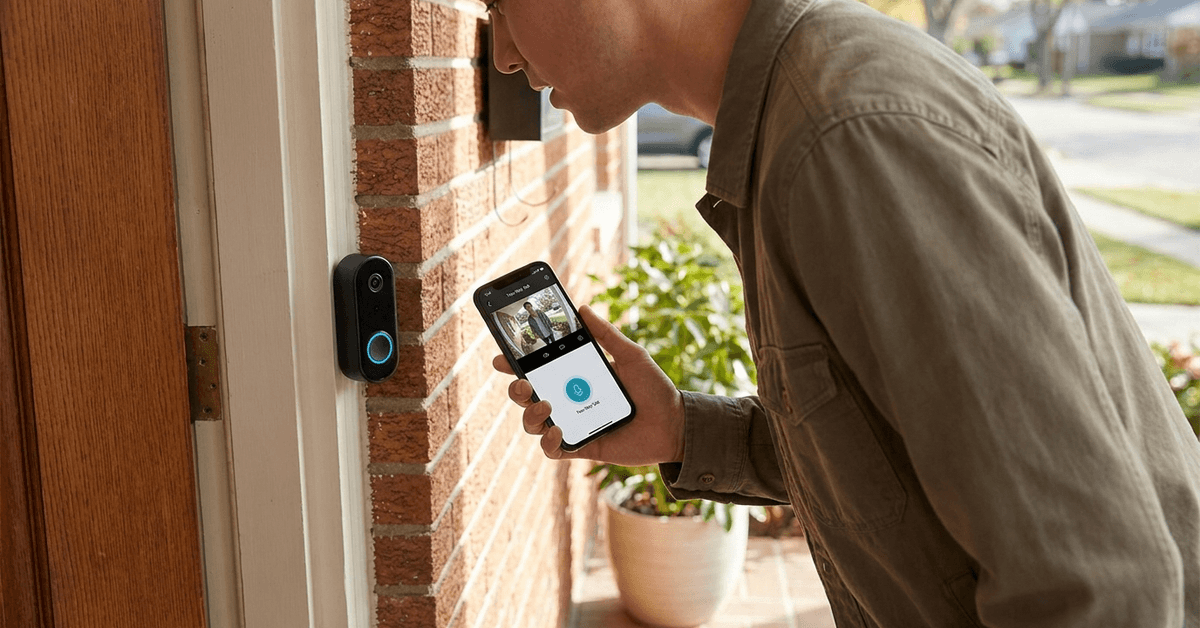
Ensuring your smart doorbell microphone delivers clear audio is critical for reliable security and everyday convenience.
This practical guide addresses every aspect of audio testing that a smart home owner may encounter.
Why Clear Audio Matters in Smart Doorbells?
Smart doorbells are not just about video feeds.
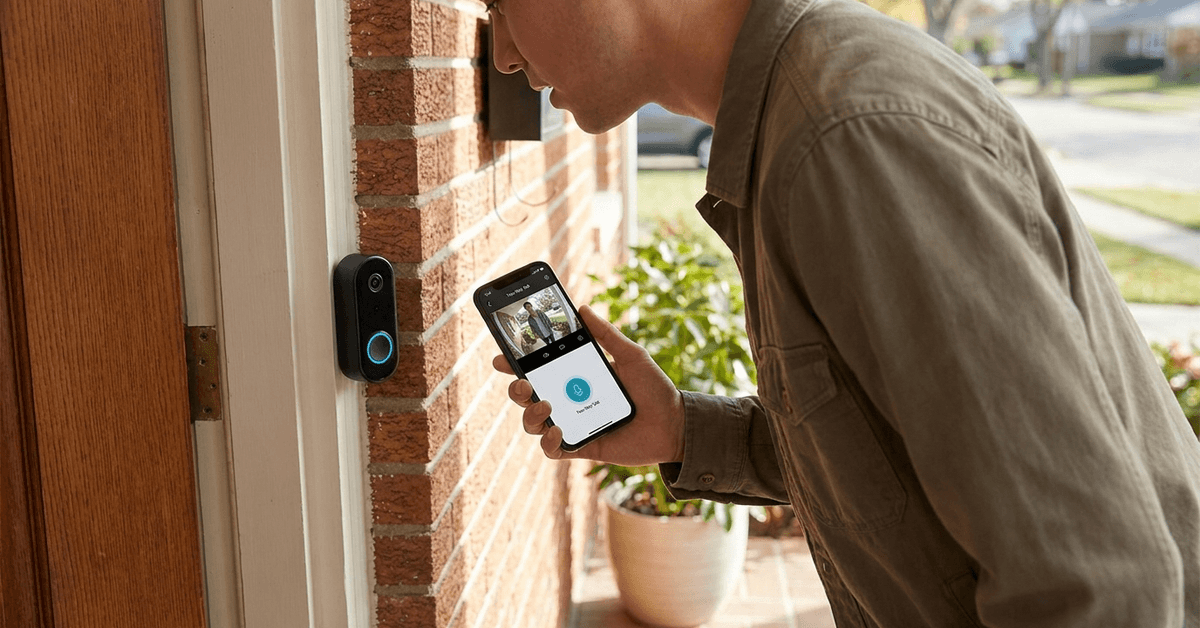
Many real-life incidents depend on the quality of spoken communication at your front door. Good audio makes two-way talk possible and ensures visitor identification is accurate.
Common issues caused by poor microphone performance
- Unable to hear visitors due to muffled sound
- Difficulty understanding instructions during deliveries
- Missed security alerts caused by unintelligible audio
Traditional troubleshooting rarely addresses these issues with enough detail.
Initial Steps Before Testing
Before running any test, always check your doorbell’s documentation. Microphone location and recommended settings can often vary depending on the manufacturer.
Recommended pre-test checklist
- Locate the actual microphone hole on the device
- Confirm that no tape, dust, or debris blocks the microphone
- Restart your doorbell if you experience persistent audio issues
- Update the device firmware using the brand’s official app
These small things are often overlooked and can make a major difference.
Basic Audio Test Methods
There are multiple ways to check audio clarity with minimal setup. Live call mode on your doorbell’s app is the easiest method for initial assessment.
Testing via two-way talk
- Open the doorbell’s official app on your phone or tablet
- Activate the live view or two-way talk function
- Stand next to your smart doorbell and speak at a normal volume
- Listen carefully to your own voice through the mobile device speaker
This approach quickly reveals basic clarity, echo, or background noise issues.
Recording and playback for detailed analysis
- Enable audio recording in the smart doorbell’s settings menu
- Record a short message at the doorbell
- Play the recording back via the app’s event history feature
Some brands offer downloadable files in MP3 or WAV format for closer examination on a computer.
Advanced testing: Third-party Tools and Protocols
Going beyond built-in features uncovers subtle problems or hardware limits. Many users find Audacity a powerful free software for waveform analysis and background noise evaluation.
Using Audacity for clarity inspection
- Download the recorded audio file from your doorbell system
- Import the file into Audacity on your PC or Mac
- Visually inspect the waveform for dropouts or broken audio
- Use the playback tool to identify static, echo, or low-quality segments
Even those with limited technical experience can interpret simple waveform spikes or gaps.
Third-party mobile apps for real-time analysis
Apps like Sound Meter (available for Android) or Decibel X (iOS/Android) help measure environmental noise levels around your doorbell.
- Compare decibel readings indoors and outdoors during tests
- If the baseline noise near your door is above 70 dB, microphone clarity will likely suffer
- Adjust testing times or microphone direction accordingly
External Factors That Affect Microphone Quality
Environmental noise, weather and mounting surface all impact microphone performance. These outside variables sometimes mask or distort what your smart doorbell hears.
Placement and mounting considerations
- Metal or glass mounting surfaces often produce unwanted echoes or reverb
- Wall edges, overhangs, or shrubbery may block or muffle the microphone
- Avoid areas close to HVAC units or busy streets, if possible
Testing from multiple locations helps isolate these variables.
Weatherproofing and wind interference
- Some brands include a dedicated windscreen over the microphone
- Heavy rain, snow, or wind can degrade audio for any model
- Temporary protective covers may help in severe seasons, as long as microphone holes remain unobstructed
Listen for any sudden changes in audio when the weather shifts.
Specific Smart Doorbell Brands and Their Test Features
Many popular doorbells have unique testing tools.
It’s worth reviewing specific options for brands like Ring, Nest Doorbell, Eufy, Arlo, and Wyze.
Ring
- Built-in volume and sensitivity sliders via the app
- Event playback includes timestamped audio segments
- Access Ring Diagnostic Tools for in-depth troubleshooting guidance
Nest Doorbell
- Remote test notifications for quick sound checks
- Ability to download event clips from Nest Aware for local analysis
Eufy and Arlo
- Allow direct export of high-quality audio files
- Offer motion-triggered recording for more natural test cases
If your model is not listed, refer to the support channel of the manufacturer for help with audio testing steps.
Ensuring Consistent Test Conditions for Reliable Results
Realistic evaluation should closely match your usual day-to-day environment.
- Test at different times: quiet midday, busy evening, and late at night
- Change the position of your voice: closer, farther, side angles
- Capture background sounds like dogs, traffic, or wind to see if they interfere
Small differences add up and may change results from one day to the next.
Common Troubleshooting Tips if Audio Is Unclear
Persistent microphone issues may not always require professional servicing.
- Double-check privacy glass and door frame acoustic properties
- If you use Wi-Fi, confirm that your signal strength is strong at the doorbell’s mounting point
- Factory reset the device as a last resort after backing up all important recordings
Sometimes, older models lack advanced audio hardware compared to newer generations.
Comparison of Software Tools for Microphone Testing
| Tool | Platform | Key Feature |
|---|---|---|
| Audacity | Windows/Mac | Detailed waveform and audio clarity analysis |
| Sound Meter | Android | Measures environmental noise level in real time |
| Decibel X | iOS/Android | Easy UI for quick neighbor noise checks |
Consistent use of these can highlight gradual shifts in microphone quality.
Powerful Conclusion: Maintain Clear Audio for Reliable Security
Smart doorbell microphones are often the first—and sometimes only—means of interaction with people at your entrance. Regular testing with a mix of built-in features and third-party tools helps ensure you catch sound issues early.
Clean, accurate audio means better security, fewer missed visitors, and a smoother smart home experience. As hardware, weather, and daily noise vary, periodic checks offer the peace of mind every homeowner wants. Wherever you live, maintaining clear audio is a crucial detail in your overall smart security setup.