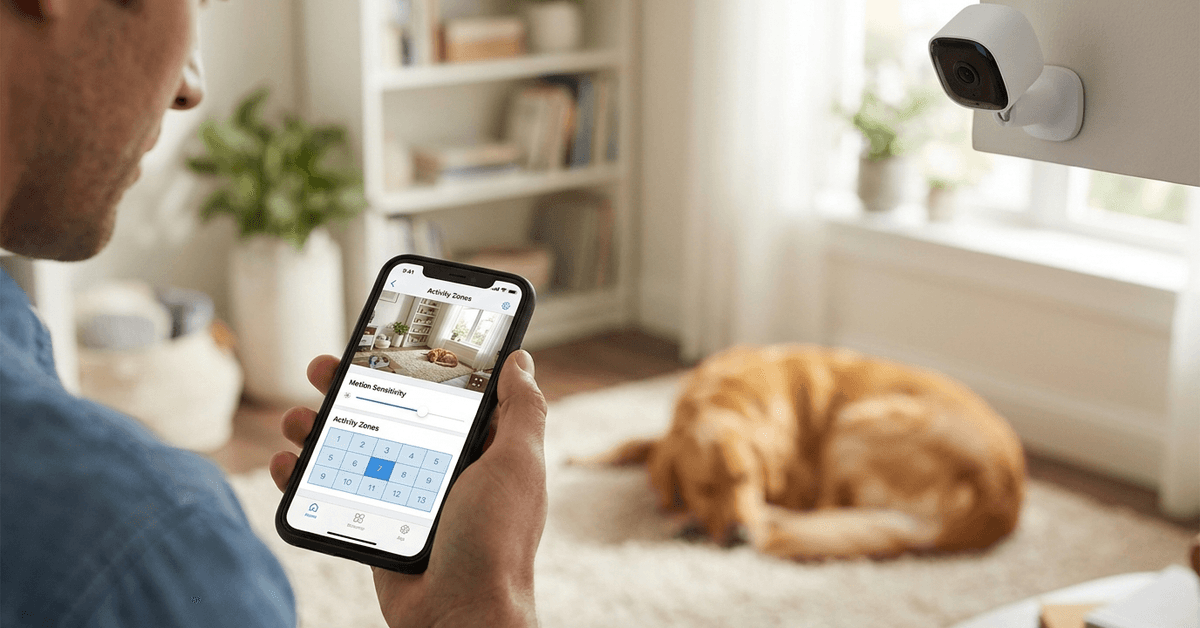
Smart home security cameras with motion detection are key for safety. However, pets can trigger unwanted alerts if sensitivity is not adjusted properly.
This guide details practical steps for configuring motion sensor sensitivity, helping homeowners avoid false alarms caused by pets. It suits anyone with pets and a desire for reliable, focused home monitoring.
Understanding Motion Detection Sensitivity
Motion detection settings enable smart cameras to identify movement and send alerts. When sensitivity is too high, cats or dogs can set off the alarm frequently.
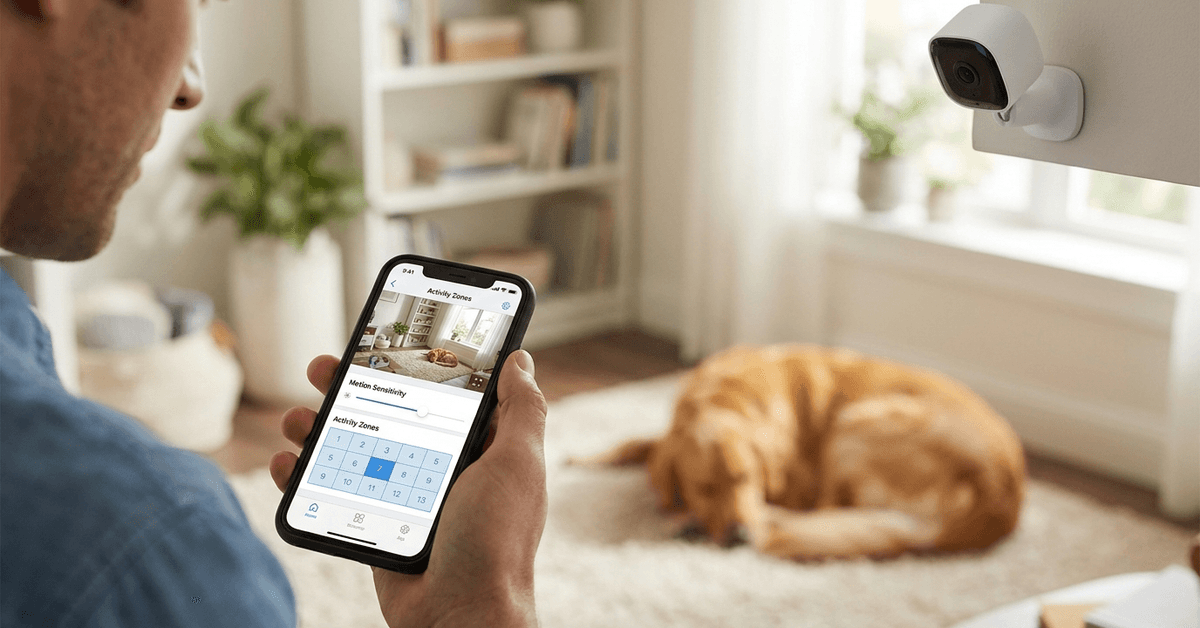
The challenge for pet owners is balancing detection accuracy and minimizing nuisance notifications. Each camera brand uses slightly different detection mechanisms and configurations.
Common Technologies in Motion Sensors
- PIR (Passive Infrared) Sensors: Detects heat signatures moving across the field of view.
- Video-based Detection: Uses AI or pixel changes in video feeds.
- Radar or Microwave Sensors: Less common, typically for advanced models.
Knowing your hardware’s detection type helps when making adjustments.
Why Pets Trigger False Alarms?
Most pets—especially dogs and cats—are active indoors. Their heat and motion patterns resemble those of intruders on standard sensitivity.
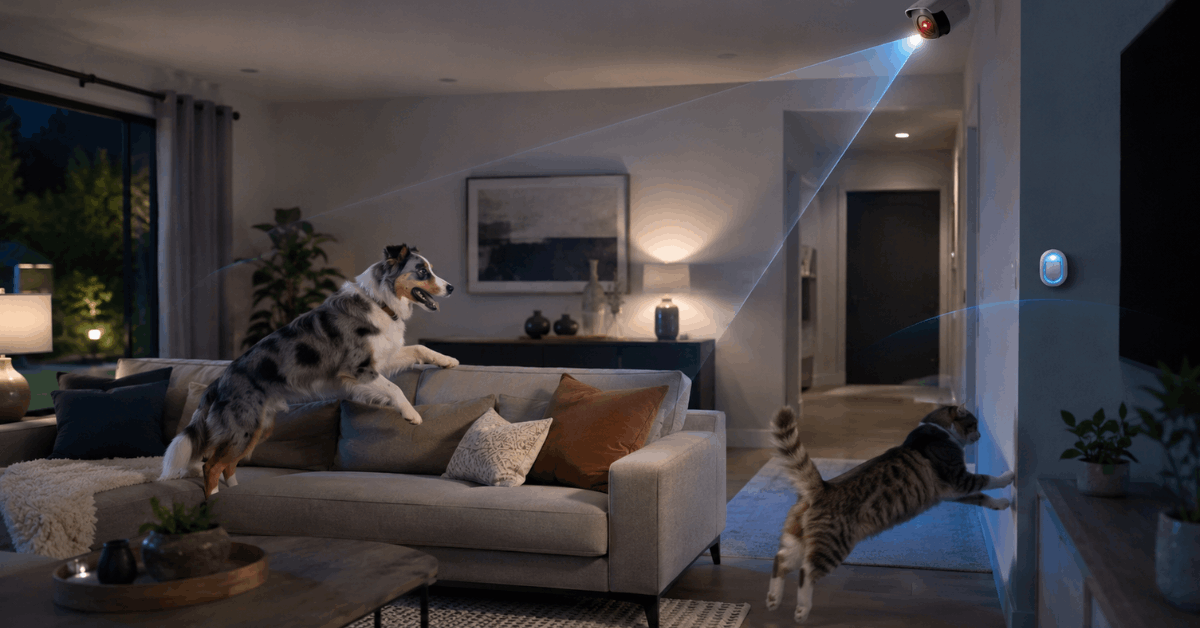
Even small movements like a tail flick or a leap onto furniture can trigger alerts. Multiple pets can make this even more challenging.
Factors Affecting Detection
- Camera Placement: Height and angle affect what the sensor sees.
- Pet Size: Larger breeds trigger sensors more frequently.
- Activity Zones: Areas marked for detection may include pet hangouts.
Evaluating these aspects first can streamline later configuration steps.
Choosing the Right Camera Features
Many popular brands, such as Arlo, Ring, Google Nest and Eufy, now provide pet-friendly features or smart detection routines.
It is common to see models mention “pet immunity” or “advanced motion filtering” on their spec sheets or in their apps.
Essential Pet-Related Camera Options
- Adjustable Sensitivity Levels: Enables fine-tuning for smaller or larger motion events.
- Person Detection AI: Distinguishes people from animal movement.
- Activity Zones: Allows exclusion of pet-frequented areas from alerts.
Homeowners often find better accuracy in models offering both AI and manual sensitivity adjustment.
Step-by-Step: Adjusting Motion Detection Sensitivity
Most smart camera apps allow you to tweak sensitivity directly. Steps and menu names may differ between manufacturers but core principles remain the same.
Example Brands: Arlo, Ring, and Google Nest
- Open the App: Launch the specific mobile or web app for your camera brand.
- Go to Device Settings: Locate your device under “Cameras” or similar tab.
- Select Motion Settings: Common labels include “Motion Sensitivity” or “Detection Settings.”
- Adjust Sensitivity Level: Lower the slider or toggle until pet movement is no longer detected, but human motion still is.
- Create Activity Zones: Draw or select regions on the camera image that exclude places pets usually roam.
- Save Settings: Confirm the changes in the app.
- Test: Observe with pets present to check if alerts are reduced.
Model-Specific Tips
- Arlo: Offers 1-to-100 sensitivity scale and custom activity zones.
- Ring: Includes “People Only” smart alerts with subscription, plus motion zone drawing.
- Google Nest: Detects pets vs. people with Nest Aware plan.
Advanced Solutions and Third-Party Tools
Sometimes, even with optimal in-app settings, additional steps may be required for effective filtering.
Integrations with Smart Home Platforms
- IFTTT (If This Then That): Custom rules to silence alerts when pets are active (requires compatible cameras).
- Home Assistant: Allows advanced automations, disabling notifications during known pet activity periods.
- Apple HomeKit Secure Video: Leverages AI to distinguish animals, but works only with compatible models.
Physical Camera Placement Strategies
- Mount cameras at least 6 feet high and angle downward.
- Keep sensors away from pet beds or play areas.
- Avoid pointing cameras toward areas where pets jump frequently.
Combined, these actions can notably reduce false positives from animals.
Common Mistakes and How to Avoid Them
Configuration is not always straightforward. Sometimes, over-tweaking or using the wrong settings can reduce home security effectiveness.
Missteps in Sensitivity Adjustment
- Setting Sensitivity Too Low: May result in missed real human movement.
- Ignoring Firmware Updates: Outdated software may lack key AI features or bug fixes.
- Not Testing with Actual Pets: Configurations made without observing live pet activity often miss edge cases.
Small, ongoing tweaks are often the best way to dial in optimal performance.
Routine Maintenance and Ongoing Adjustments
Pets change routines, and homes evolve. Occasionally, a perfectly calibrated system begins reporting new false alerts.
Regularly checking settings, reviewing alert logs, and updating software can sustain performance.
Review Recommendations
- Monthly log reviews can reveal undetected problems.
- Schedule short tests each week to verify that people are detected but pets are not.
- Update device software promptly for latest improvements.
Legal and Privacy Considerations
Security devices are subject to regional laws. Recording audio or video in shared spaces may require permission depending on jurisdiction.
Adjusting sensitivity for privacy as well as convenience is a smart habit.
Responsible Usage Tips
- Check manufacturer guidance around legal compliance.
- Avoid cameras facing into neighbors’ property or communal areas.
- Consult local regulations if uncertain about recording rights.
Maintaining ethical practices ensures smart home tech remains a positive presence.
Conclusion
Setting motion detection sensitivity to ignore pets requires a mix of the right hardware, thoughtful configuration, and an understanding of your home’s unique patterns.
Most modern cameras have at least one tool or setting, such as person detection or custom zones, that can minimize pet-triggered alerts effectively. Additional routine checks and periodic fine-tuning keep systems performing as intended.
Ultimately, the best results come from blending technology with a careful look at how your pets move and interact in your home. With conscientious setup, security does not need to clash with the daily lives of your furry family members.