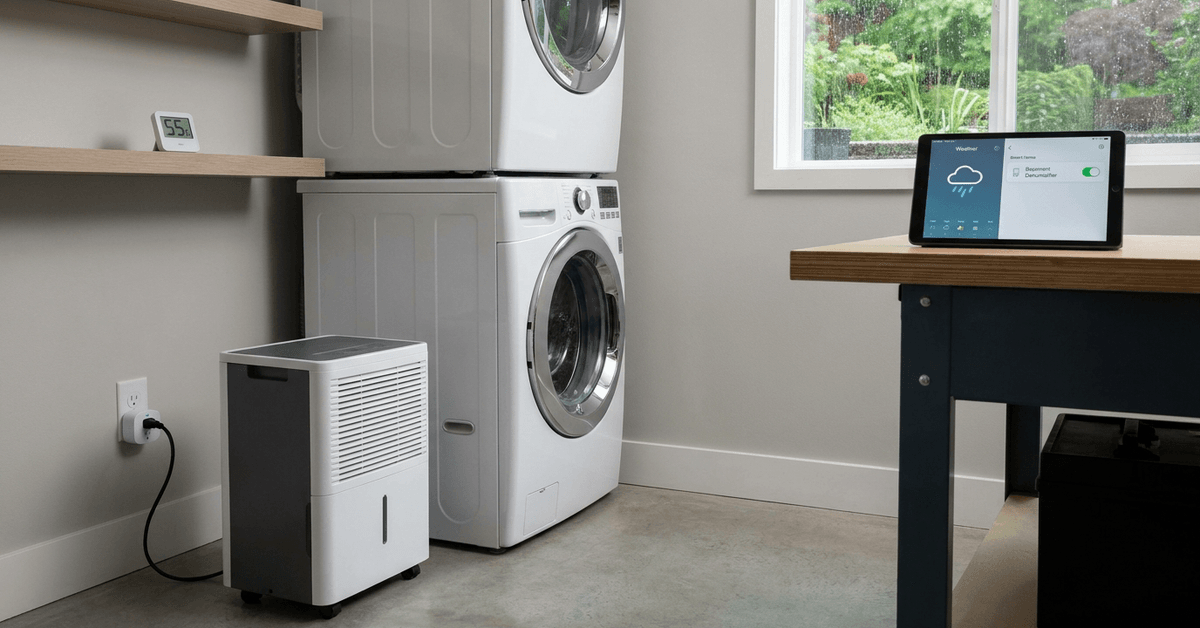
Maintaining the right humidity level is crucial for any basement. High dampness can damage property and cause unhealthy mold.
For homeowners wanting a set-and-forget system, automating a basement dehumidifier based on live weather conditions is a practical solution.
This article offers a step-by-step breakdown for turning a regular dehumidifier into a smart, weather-responsive device. The process is easier than many expect.
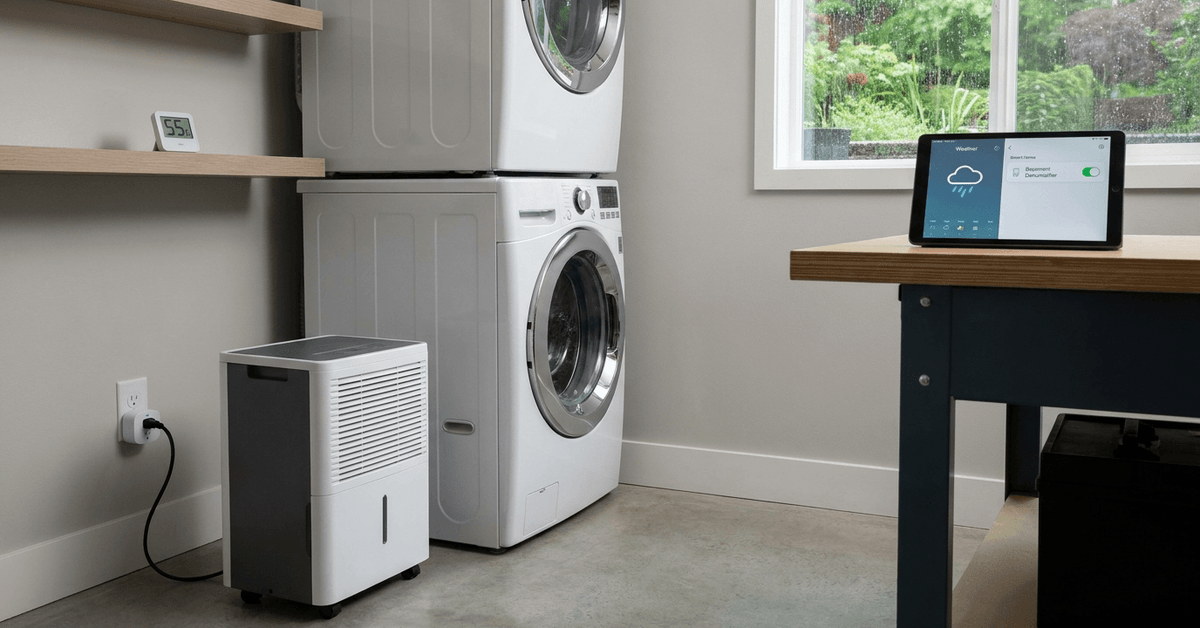
Why Automate Your Basement Dehumidifier?
Humidity changes often happen before you even notice. External weather can directly affect your basement’s moisture.
Automation means less manual checking and fewer surprises when summer storms or heavy rains spike humidity indoors.
Consistent Air Quality
Automating keeps conditions steady. You avoid drastic swings, which helps reduce risks of mold and chronic dampness.
Energy and Cost Savings
Many units run at full power needlessly. Turning on the dehumidifier only when necessary avoids wasted electricity and wear.
Hands-Free Peace of Mind
Once automated, you rarely need to monitor or adjust settings. The system does the thinking for you.
Essential Components and Tools Needed
Automating based on weather data requires a few specific items. Here’s what most enthusiasts use:
- Smart Plug or Wi-Fi Outlet: Acts as a remote switch for your dehumidifier.
- Indoor humidity sensor: Monitors real-time moisture in your basement.
- Weather data integration tool (such as IFTTT, Home Assistant, or SmartThings): Links outside weather conditions to your smart plug.
- Reliable home Wi-Fi network: Ensures consistent device communication.
- Optional: Zigbee or Z-Wave hub for advanced automation and integration.
Which Dehumidifiers Are Suitable?
Almost any plug-in dehumidifier that works with a mechanical on/off switch will function. Digital-only models sometimes need extra configuration.
When in doubt, checking if your unit resumes operation after a power loss helps determine compatibility.
Step-by-Step: Automating with IFTTT and a Smart Plug
One popular method uses IFTTT (If This Then That) paired with a smart plug. This cloud-based system links online weather feeds to physical devices.
Create Accounts and Prep Devices
- Sign up for free accounts on IFTTT and the smart plug’s app (such as Kasa, TP-Link, or Meross).
- Install both apps on your phone.
- Set up the smart plug on your home network and test manual control with your dehumidifier plugged in.
Add a Weather Service to IFTTT
- IFTTT features built-in integrations with popular weather APIs such as Weather Underground or OpenWeatherMap.
- Connect your IFTTT account to one of these services by following prompts.
Configure IFTTT Applets for Weather Triggers
- Create a new applet beginning with a weather trigger (like “Current humidity rises above 70%” or “Rain is forecasted today”).
- For the action, select “Turn on smart plug.”
- Repeat for the reverse scenario—when dry weather returns, create another applet to turn the unit off.
Test for Timing and Accuracy
Set thresholds slightly below where problems usually start. Many find around 60-65% humidity is a safe upper limit for basements. Adjust as seasons change.
Advanced Automation with Home Assistant
For those wanting local control and deeper customization, Home Assistant is a popular open-source platform. It runs on a Raspberry Pi or any always-on PC.
What Home Assistant Offers
- Pulls in local and cloud weather data using integrations.
- Supports Zigbee, Z-Wave, and Wi-Fi device automation through native add-ons.
- Allows for multi-condition automations, like running the dehumidifier if both inside and outside humidity exceeds set points.
Example Home Assistant Automation Flow
- Install Home Assistant and required add-ons (such as the Meteo-France or OpenWeather integration).
- Add the basement’s smart plug and humidity sensor as devices.
- Create automations using the visual editor: Set ‘if’ logic with weather and sensor readings, then an ‘action’ to activate the plug.
- Schedule checks as often as every few minutes for best responsiveness.
Integrating With SmartThings or Google Home
Commercial smart home hubs like SmartThings or Google Home also allow similar weather-based triggers.
Almost all major plugs and many sensors are compatible with these systems. Custom routines often work through their respective apps.
How SmartThings Helps
- Detects both local weather and sensor input.
- Can combine with other smart home routines (like HVAC or leak detection) for broader automation.
Voice Assistant Tie-In
Google Assistant routines let users run sequences based on weather, though advanced custom triggers may require third-party services.
Important Safety and Maintenance Advice
Even with automation, occasional manual checks are important for performance and safety. Filters collect dust quickly in basements.
Backup systems are smart, especially in areas prone to outages. Battery-powered humidity sensors are an option for resilience.
- Test your dehumidifier’s water reservoir or hose for clogs monthly.
- Keep the sensor clear from vents or obstructions.
- Avoid automating high-voltage or commercial-grade dehumidifiers unless specifically rated for smart outlets.
Weather Data Sourcing Tips
Online platforms like OpenWeatherMap offer reliable regional forecasts and real-time metrics, ideal for home automation.
Some services update more frequently or allow tighter location pairing than others. Choosing a provider with up-to-the-minute readings is most effective for basements prone to quick swings.
Conclusion
Automating a basement dehumidifier by reacting to weather data is both practical and protective. The process provides peace of mind, helping avoid costly surprises tied to excess humidity.
After setup, the comfort and preservation gains become clear over time. For anyone looking to add resilience to their home’s foundation, this is a reliable, field-tested upgrade well worth consideration.