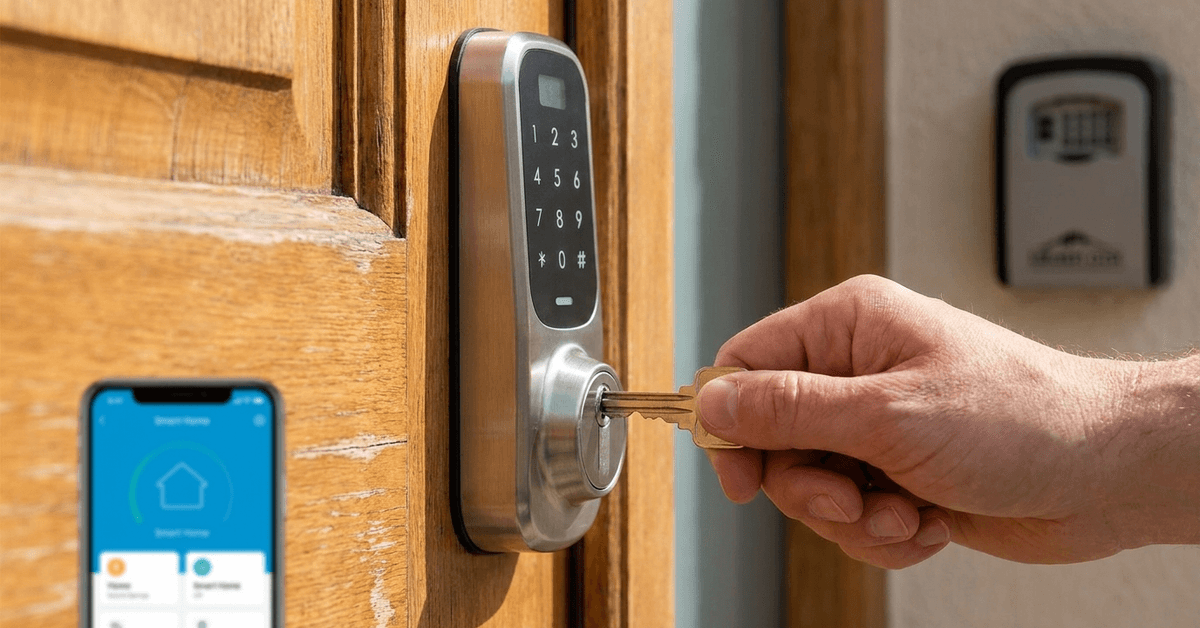
Smart locks offer remarkable convenience for homes and rentals. Yet technology, no matter how advanced, is not infallible. Power issues or app failures sometimes occur at the worst possible times.
Many homeowners wonder how to maintain access during such events. A practical solution is to choose a reliable mechanical backup key option. This isn’t just about planning for emergencies—it’s about ensuring peace of mind, too.
Why Mechanical Backup Keys Matter for Smart Locks?
Electronic components can occasionally fail. Batteries may run out or wireless connections may drop unexpectedly.
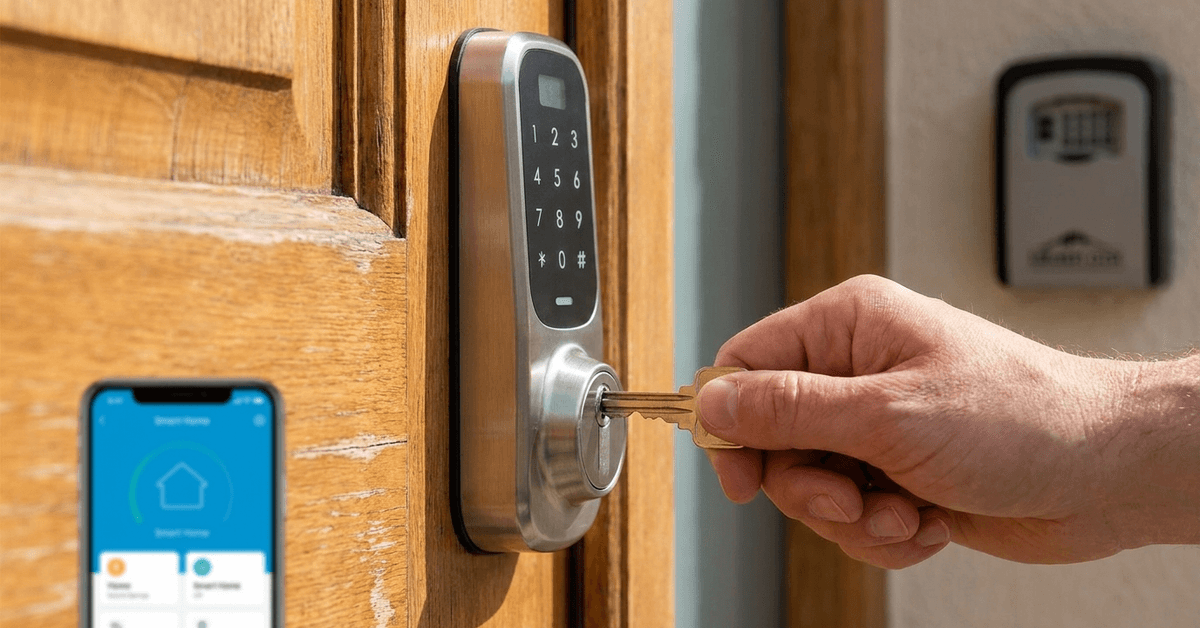
When this happens, mechanical backup keys step in as a crucial safeguard. They ensure there is always an alternative method of entry.
Fail-Safe Security in Power Loss
Power outages can disable Bluetooth or Wi-Fi features. A backup key slot lets you access your property in these scenarios.
Protection Against App Malfunctions
Glitchy app updates or phone issues are possible. Mechanical keys remain effective regardless of your device’s state.
Types of Mechanical Backup Options Available
There is not a single universal backup mechanism. Options depend on both manufacturer design and the lock’s feature set.
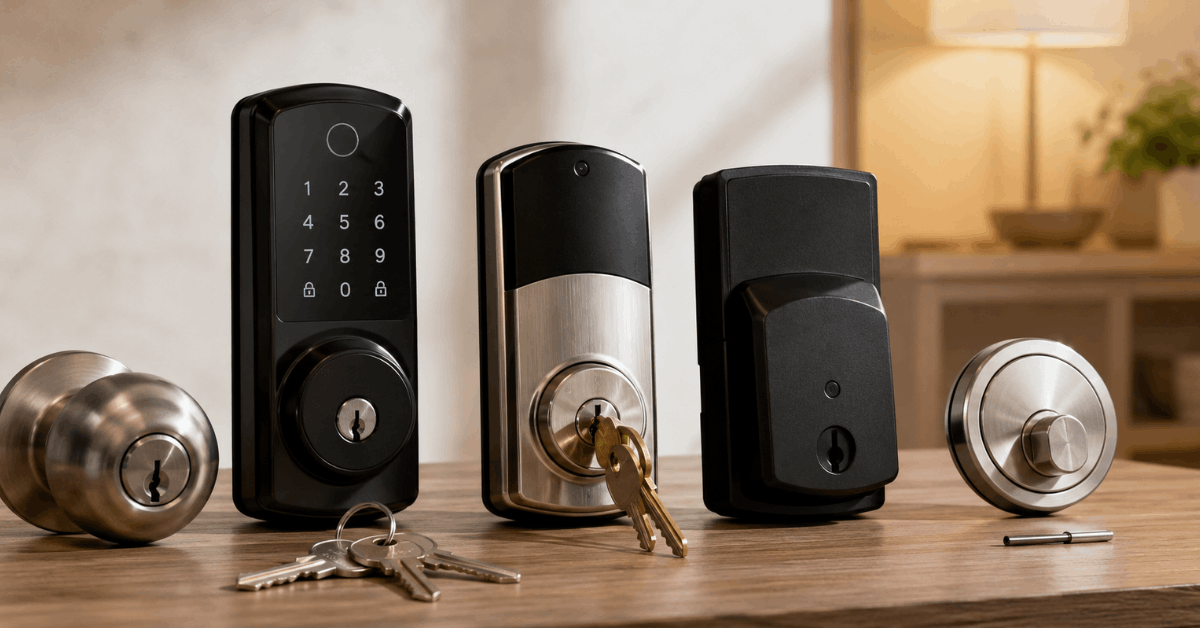
- Physical Key Cylinder: Traditional metal keys inserted into a lock cylinder.
- Keypad Hidden Override: Some locks hide the keyway behind a removable cover.
- Reset Pin Hole: Rare, but some models allow access via a special reset pin tool.
Physical key cylinders are currently the most widespread for residential locks. They offer familiarity and quick operation in emergencies.
Key Differentiators When Selecting Backup Options
Choosing the right backup is not just about what feels familiar. Security standards, access speed, and daily practicality all play a role.
Quality of the Cylinder
The ANSI Grade rating tells you the resistance level to picking and forced entry. Look for Grade 1 or Grade 2 where possible.
Investing in a higher-grade cylinder increases overall door security. Some manufacturers use anti-bump or anti-drill technology in their keys as well.
Integration With Smart Hardware
Not all mechanical key slots align perfectly with smart lock electronics. Carefully check that inserting or using the backup key doesn’t reset or damage connected components.
Concealment and Tamper Protection
A backup key slot that’s visible can be a target. Hidden designs under faceplates or keypads lower the risk.
Keep in mind: The more hidden the keyway, the more steps required for access. Balance concealment with emergency usability.
Technologies and Protocols to Consider
Modern smart locks may use several connection standards. Each one comes with its own implications for mechanical backup.
- Z-Wave and Zigbee: Wireless mesh may fail only if power to the hub drops. Keyed access bypasses this risk completely.
- Wi-Fi-Enabled Locks: If a lockbook or cloud service fails, physical keys are your surest fallback.
- Bluetooth Low Energy: Proximity-based unlocking is convenient, but a dead battery instantly makes a backup key invaluable.
Specific Product Examples
The August Wi-Fi Smart Lock’s compatible deadbolts retain physical key usage. Schlage Encode offers a backup key cylinder hidden behind a security faceplate.
Yale Assure series provides both a concealed key option and limited-use override keys if needed. Verify with the manufacturer if your model is compatible with common key blanks or requires specialized keys.
Comparison Table: Popular Smart Locks With Mechanical Backup
| Product Name | Backup Key Style | Concealment Level |
|---|---|---|
| Schlage Encode | Physical Cylinder | Hidden Behind Faceplate |
| August Wi-Fi Smart Lock | Uses Existing Deadbolt Key | Standard Exposure |
| Yale Assure SL | Optional Override Key | Hidden Under Keypad |
Step-by-Step: Setting Up Mechanical Backup Access
- Determine if your smart lock model has a physical key slot or an accessory module. If not, consider models with both smart and mechanical access.
- Store backup keys outside the home but within easy reach. Many homeowners choose discrete key safes or trusted neighbors for this purpose.
- Test the key operation regularly. If it feels sticky or resistant, cleaning and a light lubricant may help.
- Update all household members on how to access the key and use it in emergencies. Practice the process occasionally to avoid confusion during real outages.
Security and Maintenance Practices
Physical keys are not immune to wear or loss. Some tips help maintain their effectiveness over time.
- Re-key or replace your cylinder after moving in, or after key loss.
- Keep a record (ideally offsite) of your key code or serial number.
- Inspect both smart and mechanical parts for signs of tampering or aging once a year.
Legal and Privacy Considerations
Local codes may require the ability to use a physical key for fire and safety. Check city or HOA rules to ensure your setup is compliant.
Be careful about duplicate keys left with outside services or third parties. Every extra key increases risk of unauthorized access.
Pros and Cons of Mechanical Backup Key Use
Every security approach comes with advantages and trade-offs. Some homeowners may rarely need their backup key, but for others, it is essential.
- Reliable physical access at all times, even during outages
- Potential vulnerability if the key is lost, copied, or not well concealed
- Needs occasional maintenance to remain effective
Conclusion
Choosing a mechanical backup key option for smart locks is both simple and sensible. It bridges the divide between new technology and trusted tradition. Homeowners benefit from tech-enabled convenience while enjoying a fallback that never needs charging or pairing.
Yet the solution is not one-size-fits-all. Security grades, concealment, compatibility, and maintenance all deserve attention. With careful research and a focus on practical needs, you can confidently select the right backup system for your home.
In an unpredictable world, this extra layer of reliability is more than a safety net—it is peace of mind, ready whenever you need it.