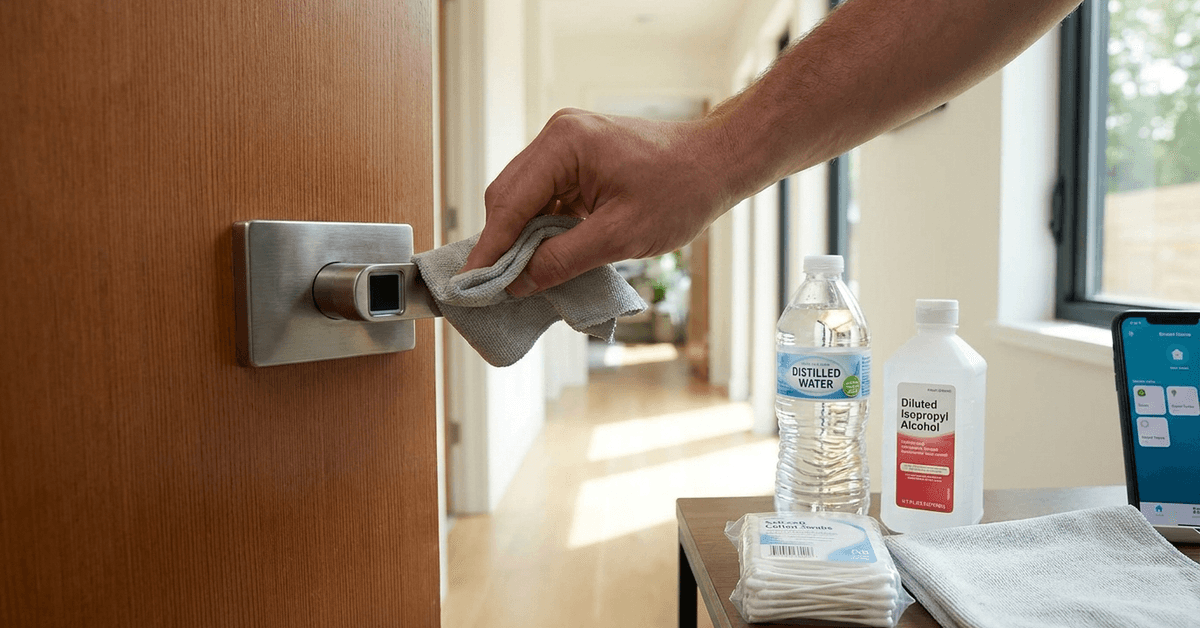
Smart fingerprint scanners on door handles are an increasingly common security feature in smart homes.
Over time, daily use, oils, and dust can reduce recognition accuracy. For homeowners relying on seamless entry, properly maintaining these devices ensures safety and reliability.
Why Clean Fingerprint Scanners on Handles?
Residue buildup is one of the main reasons for scanner malfunction. Sensors smudged by sweat, lotions, or grime may reject valid prints.
Small scratches can result from improper cleaning or rough materials. Scratching compromises the sensor’s sensitivity.
Frequent errors in recognition tend to frustrate users and might result in a false sense of insecurity at home. Regular cleaning keeps performance steady.
Understanding the Technology Behind Fingerprint Scanners
Handle-mounted scanners typically use capacitive or optical sensor technology. Capacitive devices detect the pattern of ridges and valleys in the finger by measuring small changes in electrical current. Optical sensors capture a digital image of your fingerprint.
Each type has unique sensitivities. Capacitive sensors can be particularly affected by moisture or residue while optical sensors are more susceptible to smudged or dirty surfaces.
Essential Supplies for Safe Cleaning
Using the correct materials prevents unintentional damage. Many homeowners attempt to use strong chemicals or rough sponges, but these often make issues worse.
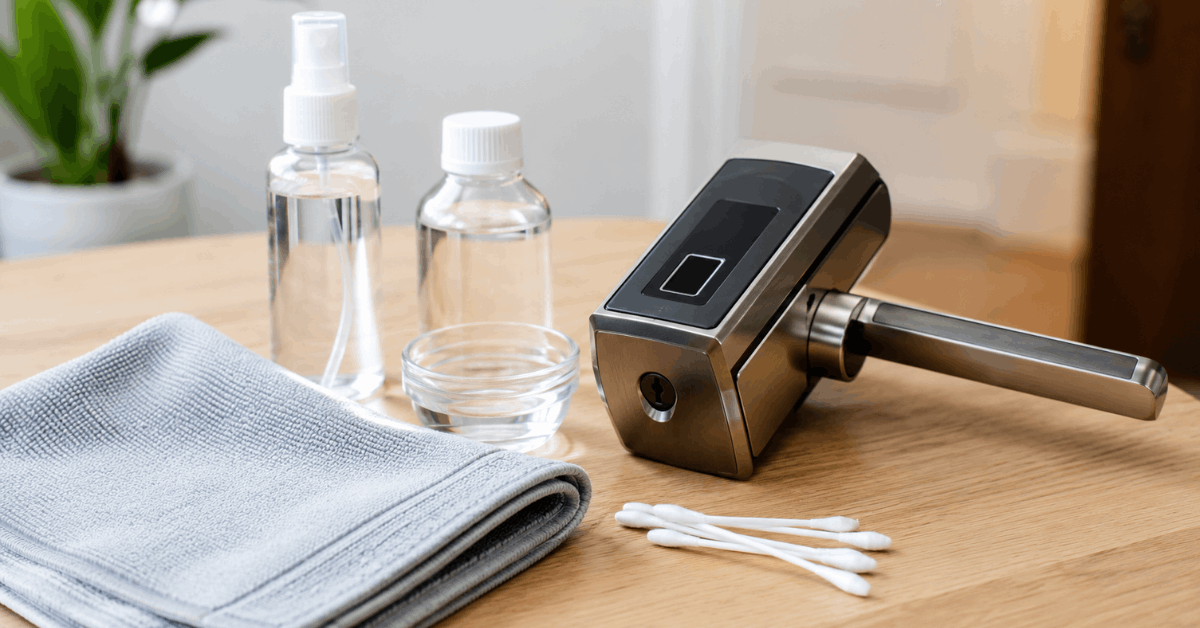
- Microfiber cloths (lint-free and non-abrasive)
- Distilled water
- Isopropyl alcohol (at least 70 percent, but never undiluted on the scanner)
- Soft cotton swabs
Commercially available screen cleaning solutions designed for mobile devices are usually safe, but only if the scanner manufacturer approves their use.
Step-by-Step Guide to Cleaning Fingerprint Scanners on Handles
Preparation: Disable the Device
Disabling the smart lock or placing it in maintenance mode (if supported via app) can prevent accidental scans or alarm triggers during cleaning.
Consulting the manufacturer’s user manual or mobile app settings is often the best approach for safely disabling the scanner before cleaning.
Dust and Surface Debris Removal
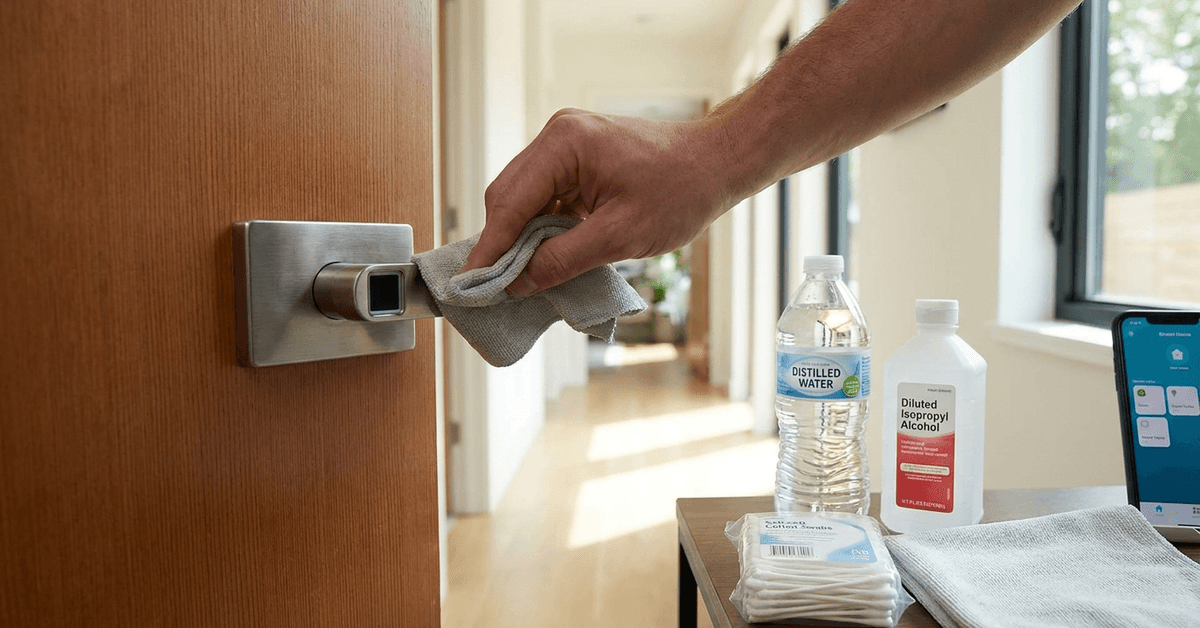
- Gently wipe the surface using a clean microfiber cloth .
- Move in circular motions with minimal pressure.
- Avoid pushing dust particles into the edge of the sensor frame.
Addressing Stubborn Oils and Smudges
- Dampen one corner of the microfiber cloth with a small amount of distilled water or a compatible screen cleaning spray.
- Never apply liquid directly to the scanner.
- Wipe gently, allowing the cloth to lift oil residue without scrubbing.
- Use a separate, dry part of the cloth to buff away streaks.
Disinfecting Without Damage
- Mix a solution of roughly 30 percent isopropyl alcohol to 70 percent water.
- Moisten a cotton swab with this mix and squeeze out excess liquid.
- Carefully dab the sensor surface, making sure not to pool any liquid in the seams around the scanner.
- Wait at least 2 minutes for any moisture to evaporate before reactivating the scanner.
Avoiding Cleaning Mistakes
- Paper towels can scratch sensitive coatings.
- Household adhesives or tape often leave stubborn residue behind.
- Never use compressed air cans directly, as propellant can leave residue.
- Ignore urban myths like toothpaste or abrasive pastes—they erode coatings rapidly.
Recommended Cleaning Frequency
For handles in high-traffic areas (like main entrances), cleaning once per week is a dependable rhythm. Less frequently used doors can be wiped down every two weeks.
External handles exposed to outdoor debris (rain, pollution) require a little more vigilance. After storms or if fingerprints seem consistently unrecognized, a quick cleaning check can prevent access issues.
Environmental Factors That Impact Scanners
Extreme temperatures and humidity tend to affect sensor reliability . In some climates, condensation forms and causes misreads.
Outdoor setups sometimes face pollen, insect residue, or dried water spots. These subtle contaminants are easily missed but can interfere with day-to-day usage.
Protective Coatings and Long-Term Care
Using Screen Protectors
Some brands offer ultra-thin, transparent covers that shield the scanner. Installing these helps protect against minor scratches.
These covers (such as those from Mobigear, or Spigen) often adhere via static, leaving no adhesive marks. A simple install extends scanner life.
Regular Software Diagnostics
Many smart handle systems include diagnostic tools in their apps. Nuki and eufy Smart Lock apps, for instance, run quick self-checks for sensor health.
Scanning stored fingerprints occasionally helps evaluate accuracy after cleaning. If performance does not improve, deeper technical service may be required.
Recognizing When Professional Servicing Is Needed
After multiple cleaning attempts, scanners that continue to struggle may have internal component issues or deeper scratches.
- Contacting the device manufacturer’s customer support often provides tailored troubleshooting steps.
- Professional smart lock technicians can clean internal sensor components using tools not available to consumers.
Ignoring persistent issues tends to make home locking less secure over time.
Safe Apps and Digital Support for Smart Handle Maintenance
- The Yale Access App offers maintenance alerts and cleaning reminders.
- Google Home integrates with compatible smart handles to track health notifications.
- Manufacturer forums (like the August or Samsung Smart Lock communities) provide tips and real-world user stories about effective cleaning.
Many brands host instructional videos on their support websites. Using official resources reduces the risk of voiding warranties.
Tips for Maintaining Accurate Scans After Cleaning
- Register each user’s fingerprint multiple times in slightly different positions.
- Encourage all family members or authorized users to keep their fingers clean before using the scanner.
- If someone is experiencing frequent scan failures, try rescanning their print after cleaning both the finger and the device.
- Monitor analytics in the handle app (if available) to identify unrecognized attempts, which might indicate surface contaminant issues.
Internal Linking Opportunities for Enhanced User Engagement
- /best-fingerprint-smart-locks-for-homes
- /troubleshooting-smart-lock-not-working
- /how-to-integrate-fingerprint-locks-with-smart-hubs
- /essential-smart-home-cleaning-tools
Visual Suggestions
- Step-by-step illustration or infographic showing each cleaning stage
- Side-by-side table comparing cleaning materials (safe versus unsafe)
- Photo example of a micro-scratched scanner surface versus a pristine one
- Screenshot walkthrough of cleaning reminder in a manufacturer’s app
Conclusion
Smart fingerprint scanners on handles require careful maintenance to support consistent, secure access. Cleaning with soft cloths and safe cleaning solutions helps preserve sensor responsiveness. Environmental awareness, regular gentle care, and use of supportive apps ensure the device’s longevity. When in doubt, referring to the manufacturer’s instructions and seeking professional help protects both your investment and your family’s safety over time.