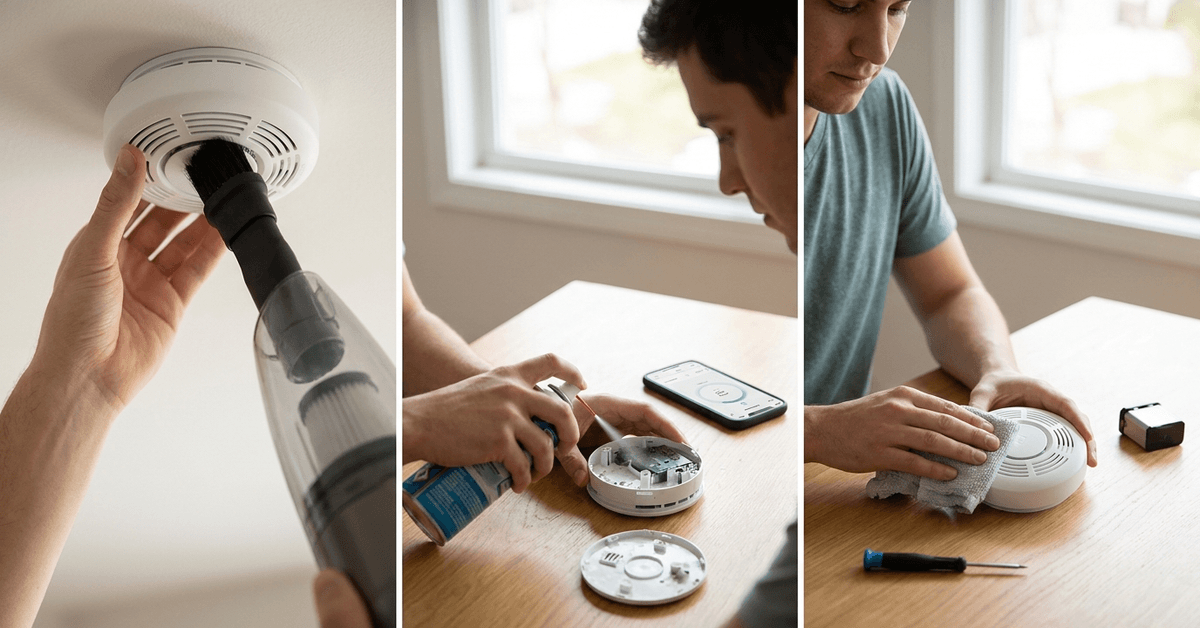
Smart smoke detectors protect homes by offering early alerts and app integration. Dust and everyday air particles, however, can interfere with their sensors over time.
Homeowners and renters interested in smart home safety can benefit greatly from maintaining these devices. Cleaner units detect fires more accurately and prevent frustrating nuisance alarms.
Why Smart Smoke Detector Maintenance Matters?
Smart smoke detectors, like Nest Protect or First Alert Onelink, rely on advanced sensors and wireless connectivity. Even minimal debris or battery neglect impacts effectiveness.
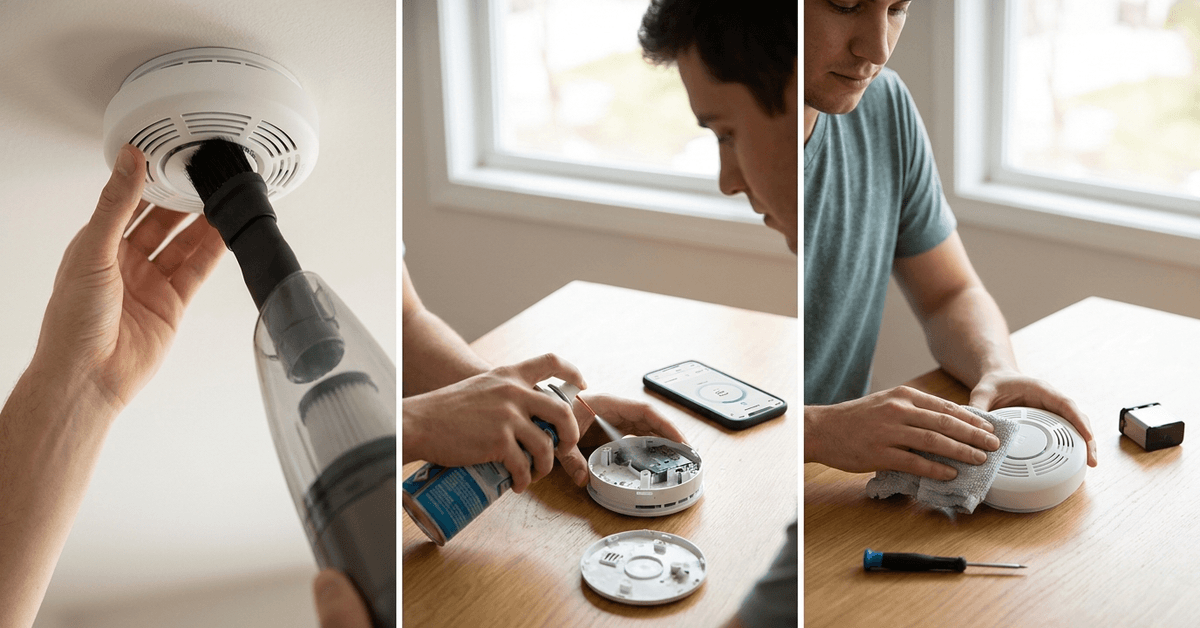
Detecting issues early reduces the risk of sensor failure. Plus, regular care extends the detector’s lifespan and keeps app notifications reliable.
Understanding Your Smart Smoke Detector’s Technology
Some models use a combination of photoelectric and ionization sensors. Others add carbon monoxide detection. Each reacts to different particle or gas signatures.
It helps to read the product manual, as manufacturers may suggest unique cleaning intervals or steps for their models. For reference, Google Home usually syncs with Nest devices for easy alerts when maintenance is overdue.
How Often Should You Clean Smart Smoke Detectors?
Most experts suggest an exterior cleaning at least once every two to three months. A full internal inspection is advisable yearly or if you notice false alarms.
Homes with pets, smokers, or recent renovations may need more frequent attention due to particle buildup that can quickly accumulate.
Step-by-Step Guide: Cleaning Your Smart Smoke Detector
Preparation checklist
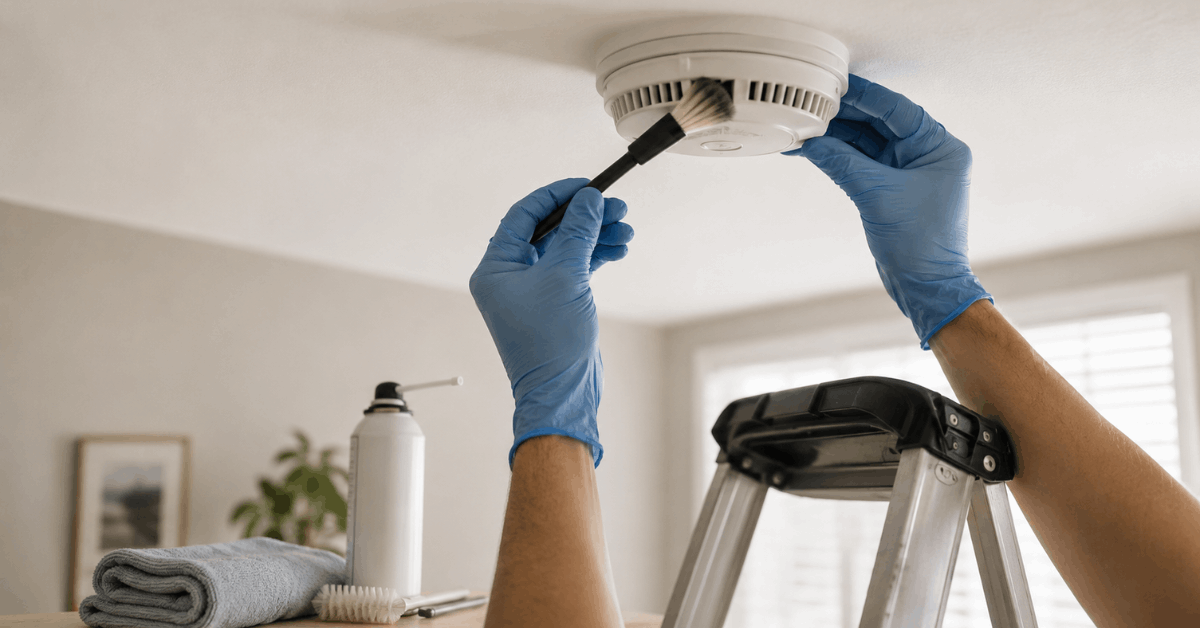
- Turn off power via the device’s app or at the circuit if hard-wired (if unsure, check the specific manual).
- Gather a soft brush, compressed air and a slightly damp cloth.
- Have a sturdy, safe step stool or ladder on hand.
Exterior cleaning
- Gently brush around the vents and sensor inlets to dislodge loose dust.
- Use short bursts from a can of compressed air for hard-to-reach openings.
- Wipe the casing lightly with a damp cloth and buff dry. Avoid direct water on any sensors.
Interior inspection and cleaning
- If the manual allows, twist to remove the unit’s cover or front plate.
- Visually inspect for visible debris, insect remains, or corrosion on contacts.
- Clean gently with the soft brush and air, not touching the sensor’s surface directly.
- Reassemble carefully, aligning all clips and seals to maintain airtightness.
It might be tempting to use cleaning sprays, but plain air and light brushing are safest to avoid residue inside the detector.
Maintaining Software and Device Connectivity
Smart smoke detectors use Wi-Fi, Zigbee, or Z-Wave to connect to home hubs. Regular software upkeep supports accurate alerts and faster emergency notifications.
- Enable firmware auto-updates via the device’s official app, such as Nest App or Onelink Home.
- Check that push notifications are active in your mobile settings for both smoke and CO alerts.
- Run monthly device tests through the app to verify sensor and speaker health.
A network outage or outdated app can sometimes prevent notifications, so it’s worth double-checking router reliability too.
Replacing Batteries and Backup Power
Some smart smoke units use sealed lithium batteries. Others are hardwired but require battery backups. Ignoring low power warnings leads to missed alarms or device failures.
- Replace replaceable batteries annually, or per the low-battery alert.
- For sealed units, note the manufacturer’s stated lifespan—often 7 or 10 years.
- Mark the install or battery change date inside the detector’s cover with a marker for easy tracking.
Outages during storms or renovations often drain backup power, which many people overlook until an alert appears.
Signs Your Smart Smoke Detector Needs Extra Attention
- Frequent nuisance alarms or sudden silence from the device indicate a possible sensor or software issue.
- Yellow or red status lights, especially on Nest Protect, suggest a need for cleaning or replacement.
- Repeated missed notifications in the app can point to connectivity problems or outdated firmware.
Addressing these signs quickly helps avoid dangerous delays in real-world emergencies.
Quick Troubleshooting for Common Issues
- If you notice chirping or beeping, check if it’s a low-battery warning or maintenance reminder in the app.
- A device going offline might benefit from moving your router or using a Wi-Fi extender for broader coverage.
- False alarms after cleaning may result from lingering dust—run a fan in the room for a few minutes, then repeat a gentle cleaning cycle.
Legal, Safety, and Regulatory Reminders
Local regulations may mandate smoke detector placement in every sleeping area and main hallway. Proper maintenance is often a legal obligation for property owners.
- Check the guidance tied to your city or landlord to verify required maintenance frequency.
- Only approved devices, such as UL-listed smart smoke detectors, should be used in rental or managed properties.
- If unsure about wiring or mounting, licensed electricians or fire safety specialists can provide help for complex setups.
Conclusion
Smart smoke detector care supports both your home’s safety and your investment in smart technology. With a solid cleaning and maintenance routine, nuisance alarms decrease and detection reliability increases.
Having experienced several real-world test drills myself, I can say well-kept sensors make a big difference when seconds count.
For those managing busy schedules, calendar reminders in smart home apps or using connected routines in Google Home can help keep everything on track. Consistent attention to sensor cleaning, app updates, and power checks leads to safer, smarter living.